PS–002 / Module 01
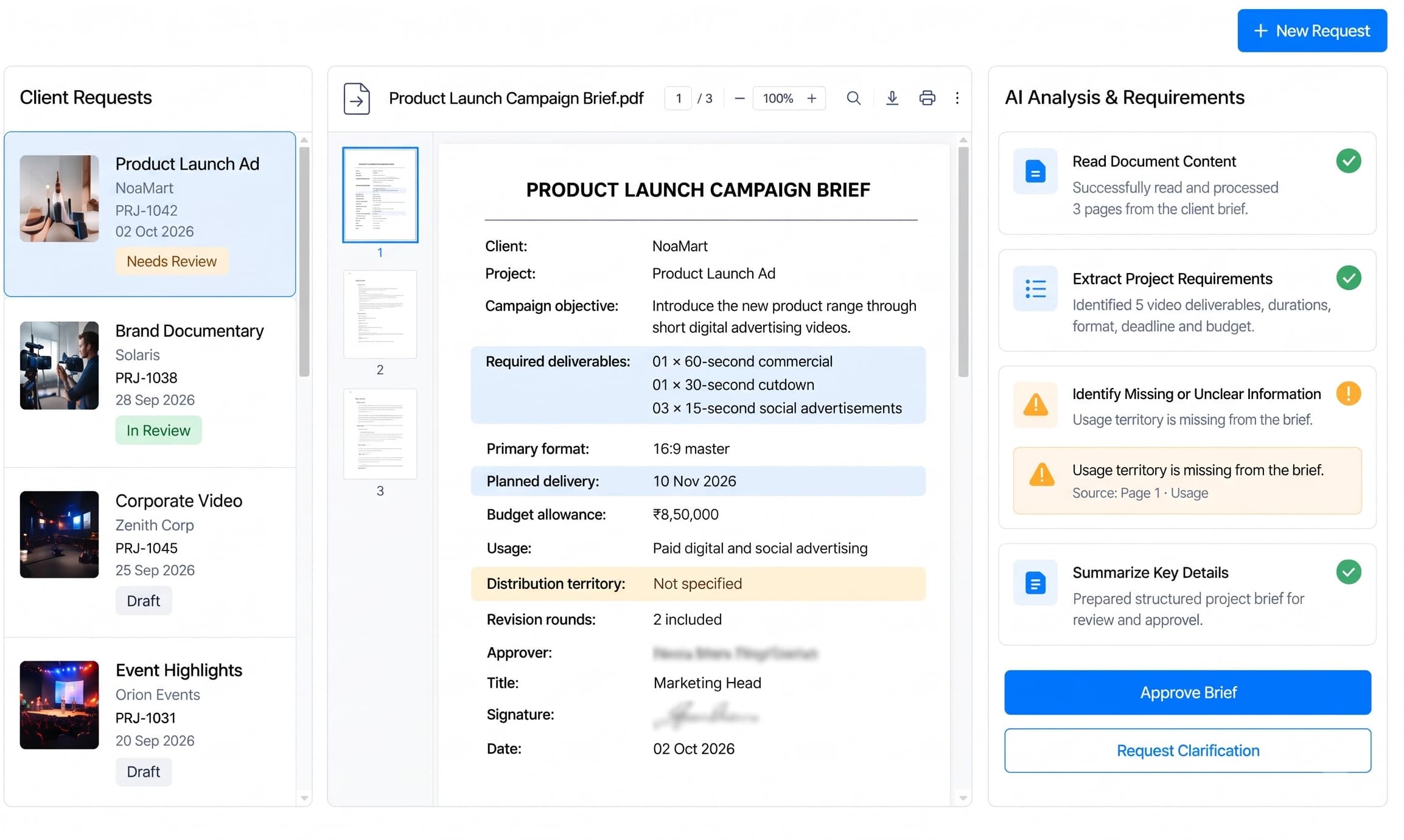
Client Intake
Capture client briefs, scripts, deliverables, deadlines, and approvals in one structured production record.
Client Intake product screen
 A01 / Intake
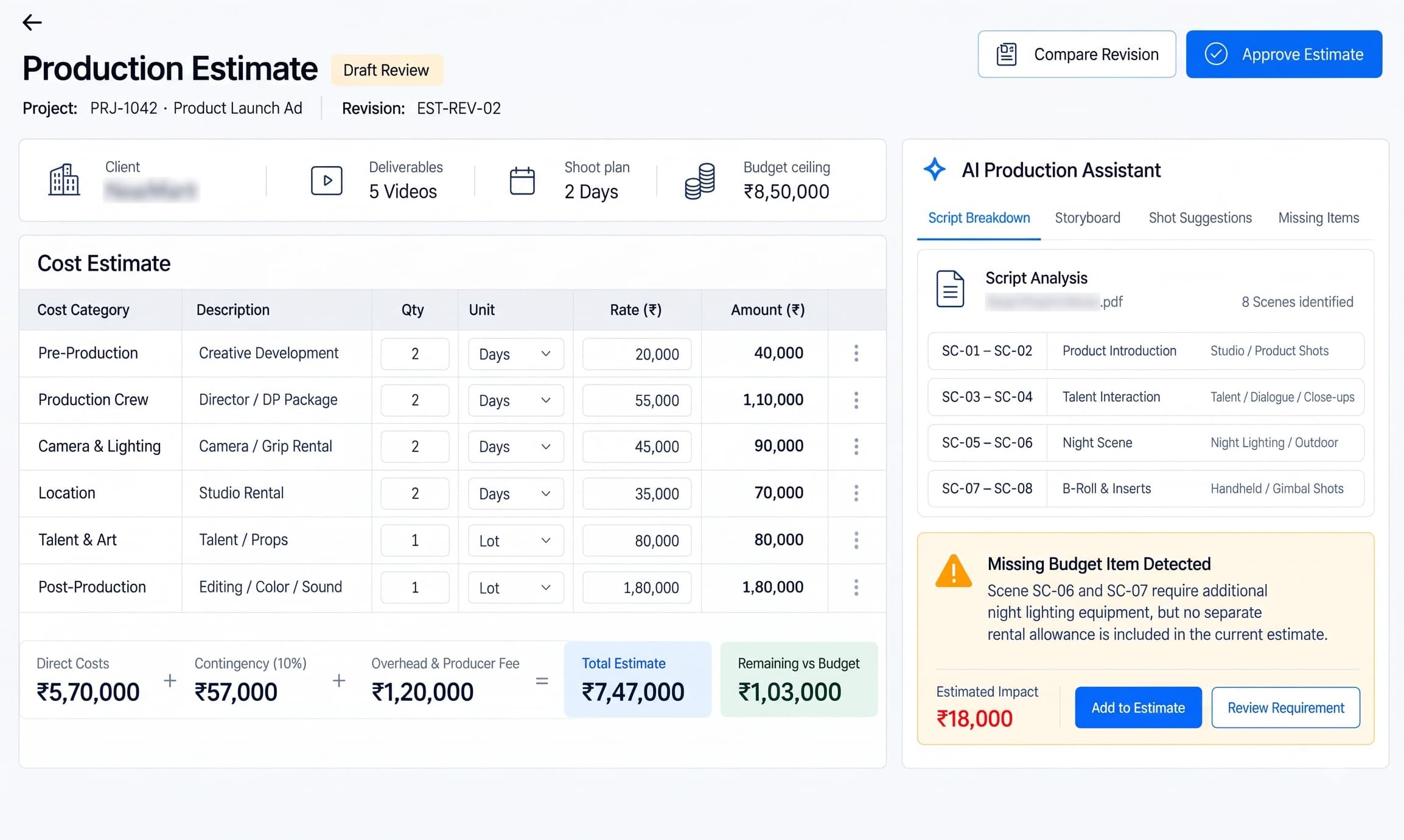
 A02 / Estimates
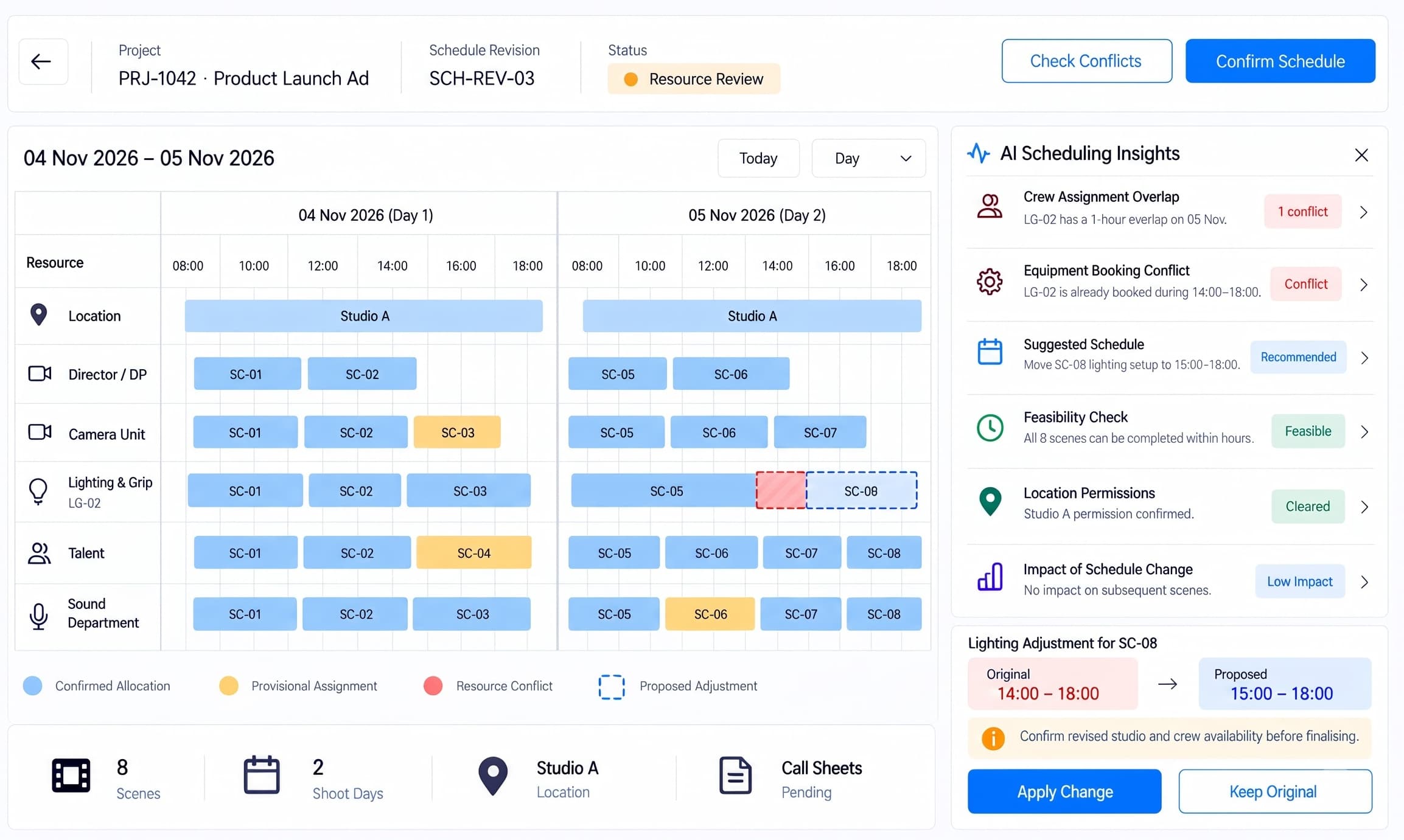
 A03 / Scheduling
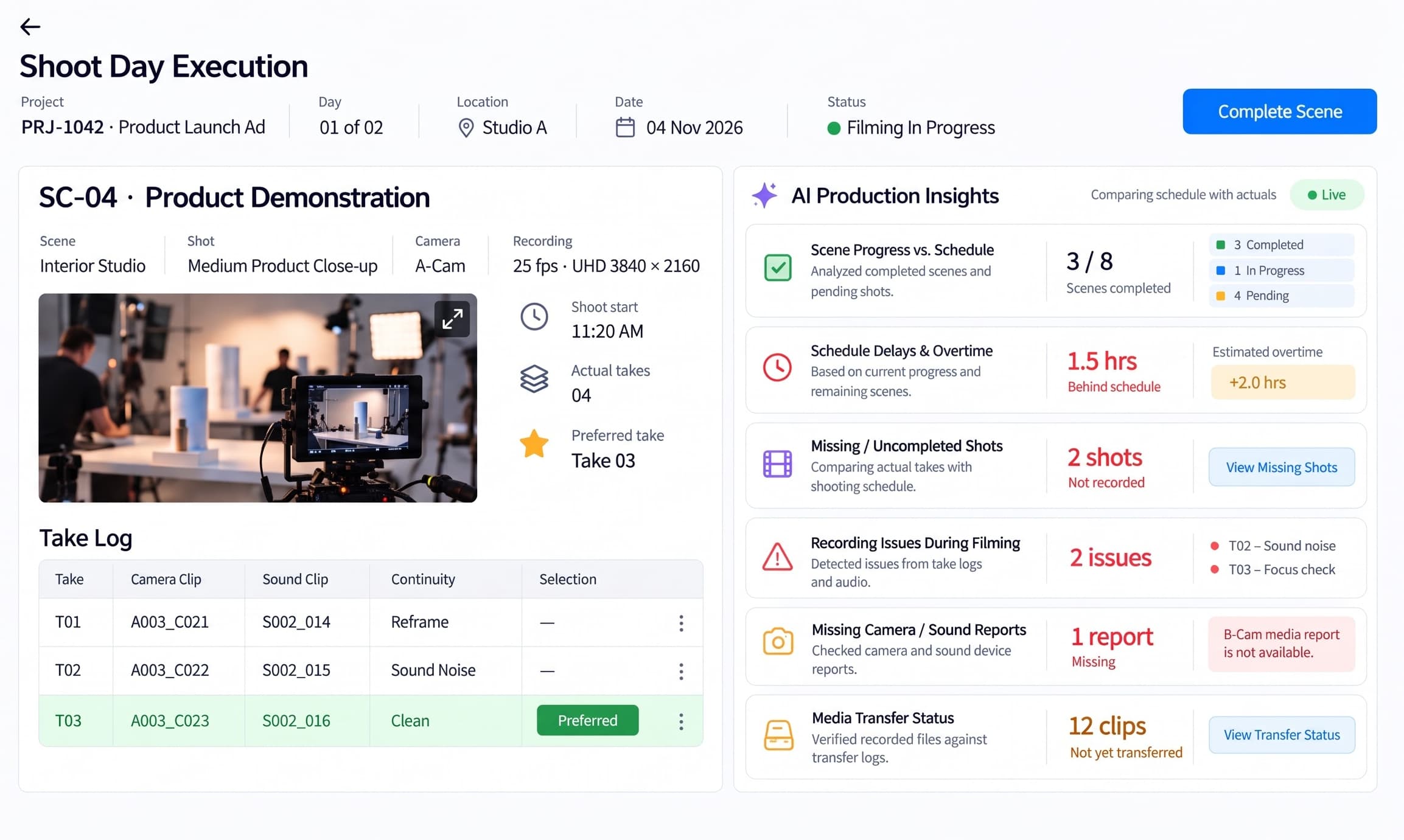
 A04 / Production
 A05 / Media & Post
 A06 / Closeout
From first brief to final delivery.
Keep every production on track.
The Platform / 01
One connected production workflow, from client brief to final delivery.
Bring client briefs, production estimates, shooting schedules, media assets, editing reviews, and final deliveries into one connected workspace. Keep producers, production coordinators, editors, and delivery teams aligned while tracking budgets, approvals, and project progress.
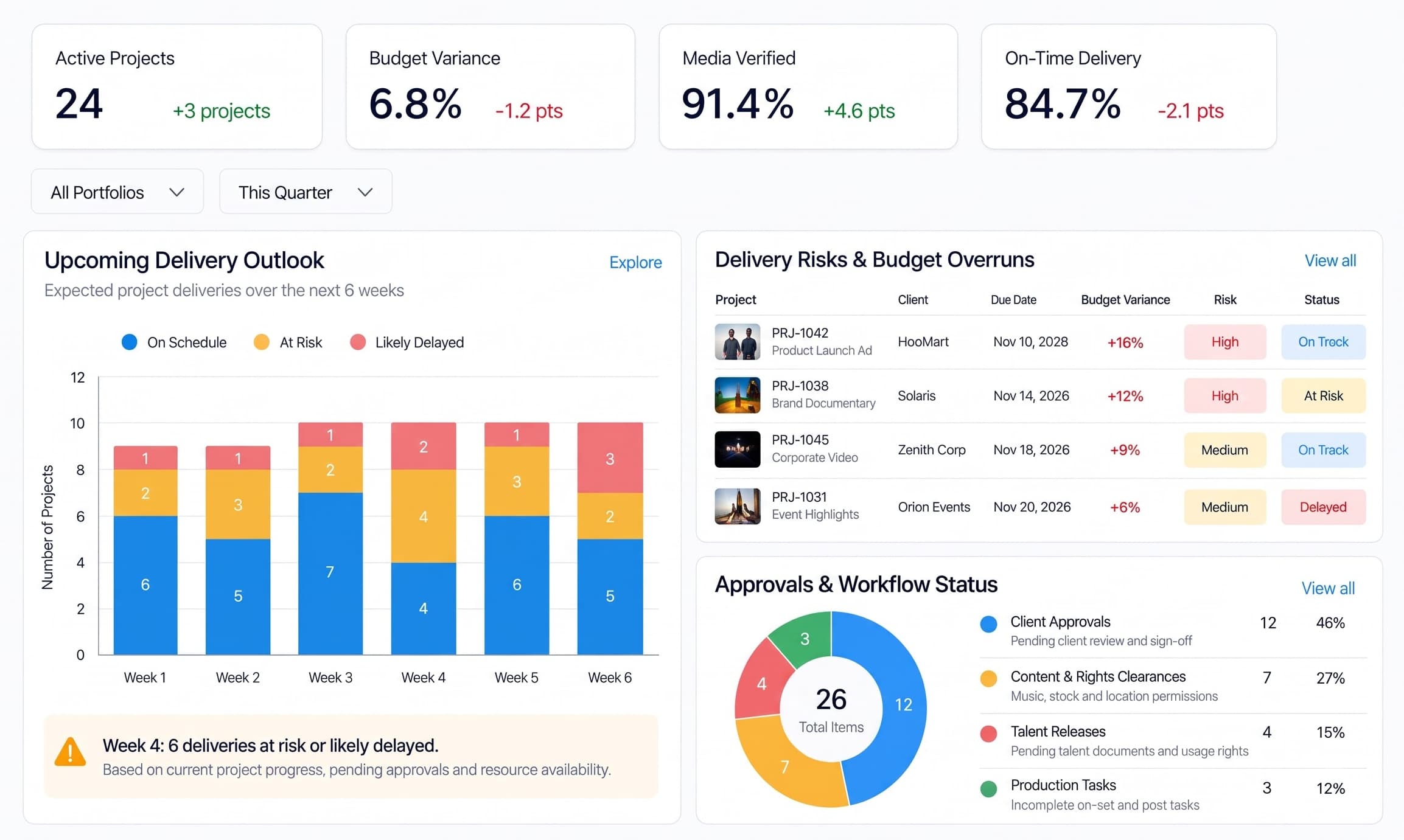
Monitor active projects, production budgets, media verification, and upcoming deliveries in one place. Identify schedule risks, budget overruns, and pending approvals before they disrupt production.
Explore the dashboard to see project forecasts, delivery risks, and workflow status.
The catalogue / 02
Seven workflow modules. One connected production system from client brief to final delivery.
Capture client briefs, scripts, deliverables, deadlines, and approvals in one structured production record.
Build production estimates, break down scripts, and define crew, equipment, and shoot requirements.
Arrange shoot days, locations, crew, talent, and equipment while resolving schedule conflicts early.
Track scenes, takes, daily production activity, and filming progress as shoot days move forward.
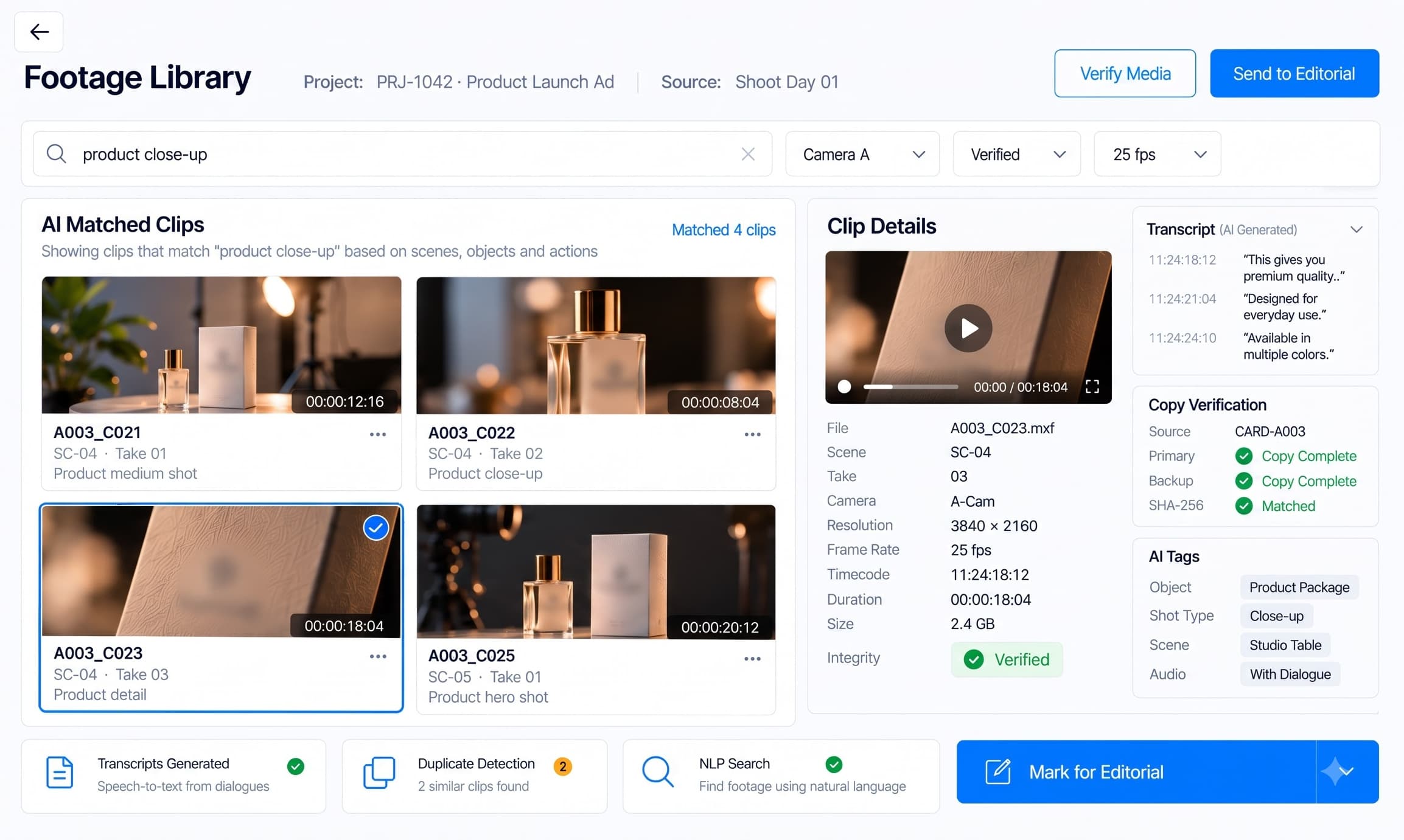
Verify footage transfers, organize media, and make source clips searchable and ready for editorial work.
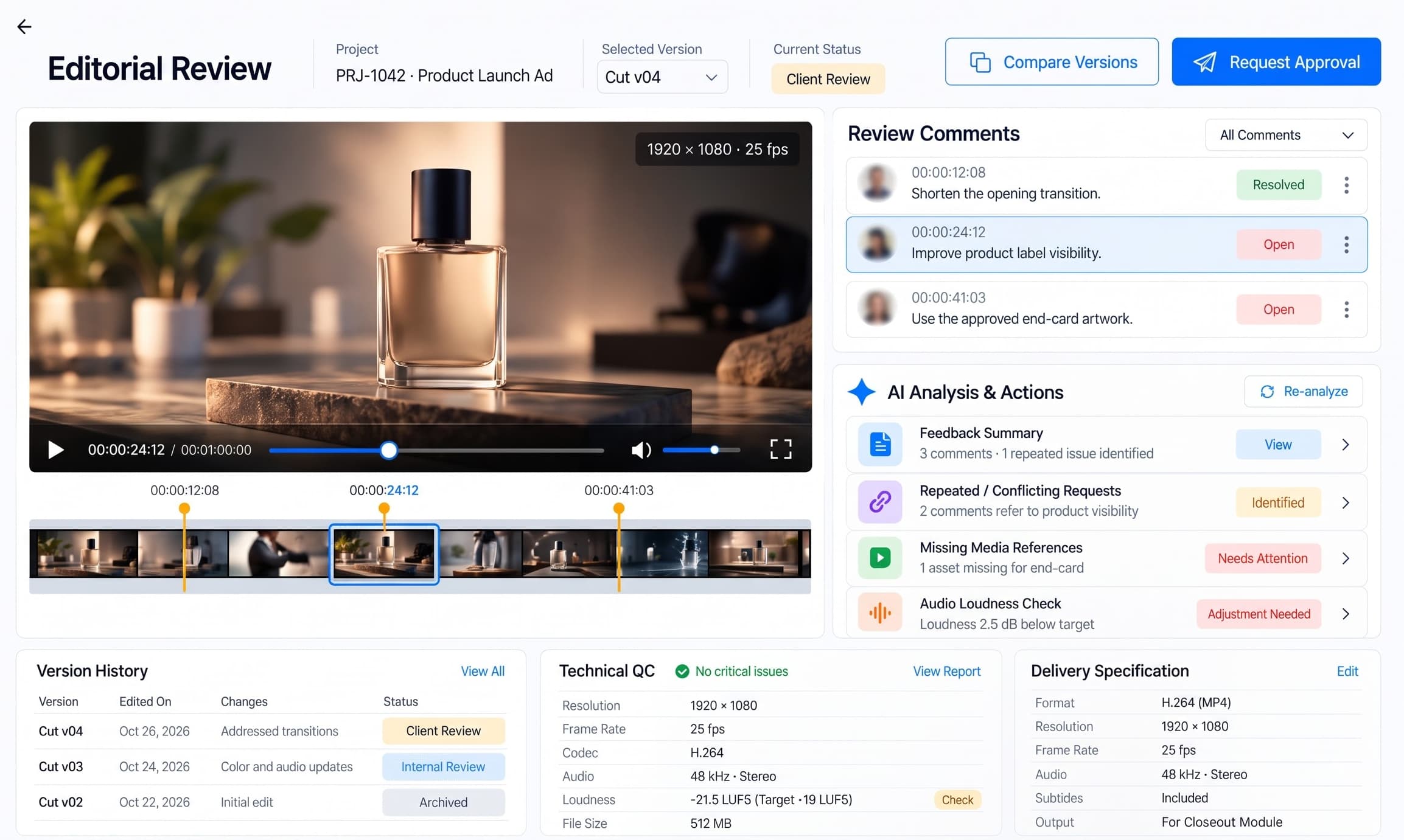
Manage edit reviews, feedback, quality checks, and approvals from rough cut to final master.
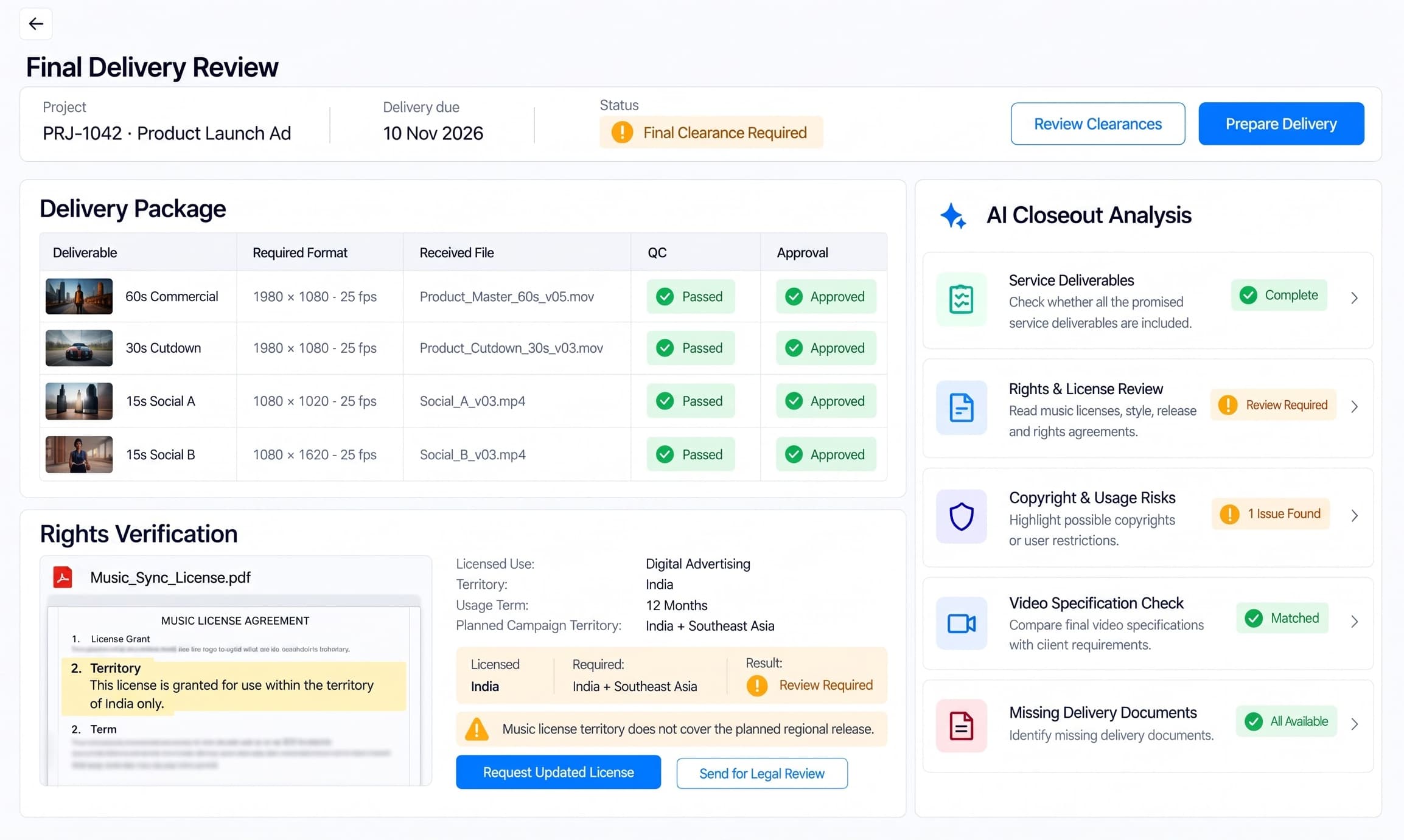
Deliver approved files, confirm rights and clearances, and close the project with final settlement records.
The Intelligence / 03
Use a platform designed to harness the best intelligence available for the work in front of you.
Separate documents, schedules, footage libraries, and approvals slow production.
Production data → workflow orchestration → specialized AI services → verified results.
Use the right capability for each task while keeping producers, editors, and reviewers in control.
Analyze production briefs, scripts, contract terms, and client feedback.
Provider documentation ↗Analyze video content, identify scenes, and generate timecoded descriptions.
Provider documentation ↗Extract structured text from production contracts, call sheets, and scanned documents.
Provider documentation ↗Rank relevant script passages, production records, and footage descriptions for search.
Provider documentation ↗Note: Model routing depends on the production task, supported input formats, and configured providers. Human approval remains required for financial, legal, and production-critical decisions.
How it works / 04
Turn client briefs and scripts into approved production requirements, budgets, and resource plans before scheduling the shoot.
Schedule crew and equipment, track filming progress, verify recorded footage, and prepare organized media for editing.
Manage editing, consolidate client feedback, complete quality checks, verify usage rights, and deliver approved videos with final settlement records.
Beyond the dashboard / 05
A late shoot, a missing clip, or a pending client approval needs an operational system, not another chat window.
Agent workflows are scoped to your approval policies, shoot locations and client delivery requirements.
Explore Media Production Services AI agents ↗Tools & Integrations / 06
Connect production scheduling, accounting, and media review tools to Threxuvanti AI. Bring project records, financial data, and approved media into one connected production workflow.
Import shooting schedules, scene breakdowns, and cast requirements to organize crew, equipment, locations, and shoot dates. Approved schedules flow into Production for daily filming and scene tracking.
Data flow Movie Magic Scheduling → Scheduling → Production
Use supported accounting exports to reconcile production expenses, purchase orders, crew costs, and budget variances. Financial records support Estimates, production cost monitoring, and final settlement.
Data flow SmartAccounting → Estimates / Production → Closeout
Bring review versions, timecoded comments, and approval records into the post-production workflow. Track requested changes, final approvals, and delivery readiness before project closeout.
Data flow Media Assets → Post-Production ↔ Frame.io → Closeout
Note: Tool names and marks belong to their respective owners. No endorsement or partnership implied. Integration availability depends on your existing systems, licences, API access, security configuration and implementation scope.
Standards / 07
Performer engagement terms, session and use records for commercial shoots, kept against the shooting schedule and the client brief.
Remote pilot certification and flight records for drone shoots, logged on the shoot day alongside scenes and takes.
Location hazard checks and crew safety briefings documented in the production record for each shoot day.
Licences for music, stock footage and archive material tracked per asset and verified before a video is delivered.
Final masters checked against the delivery specification a distributor or broadcaster asks for before closeout.
Programme loudness and peak checks run as part of final quality control, with exceptions flagged for review.
Note: These are standards the platform is built to support inside your workflows — obligations that fall on you as the licensee. They are not certifications held by us, and support in the product is not a substitute for your own counsel or compliance officer.
Hardware add-ons / 08
Generic third-party devices, connected through a defined interface. Compatibility and any additional ingestion work are verified during scoping.
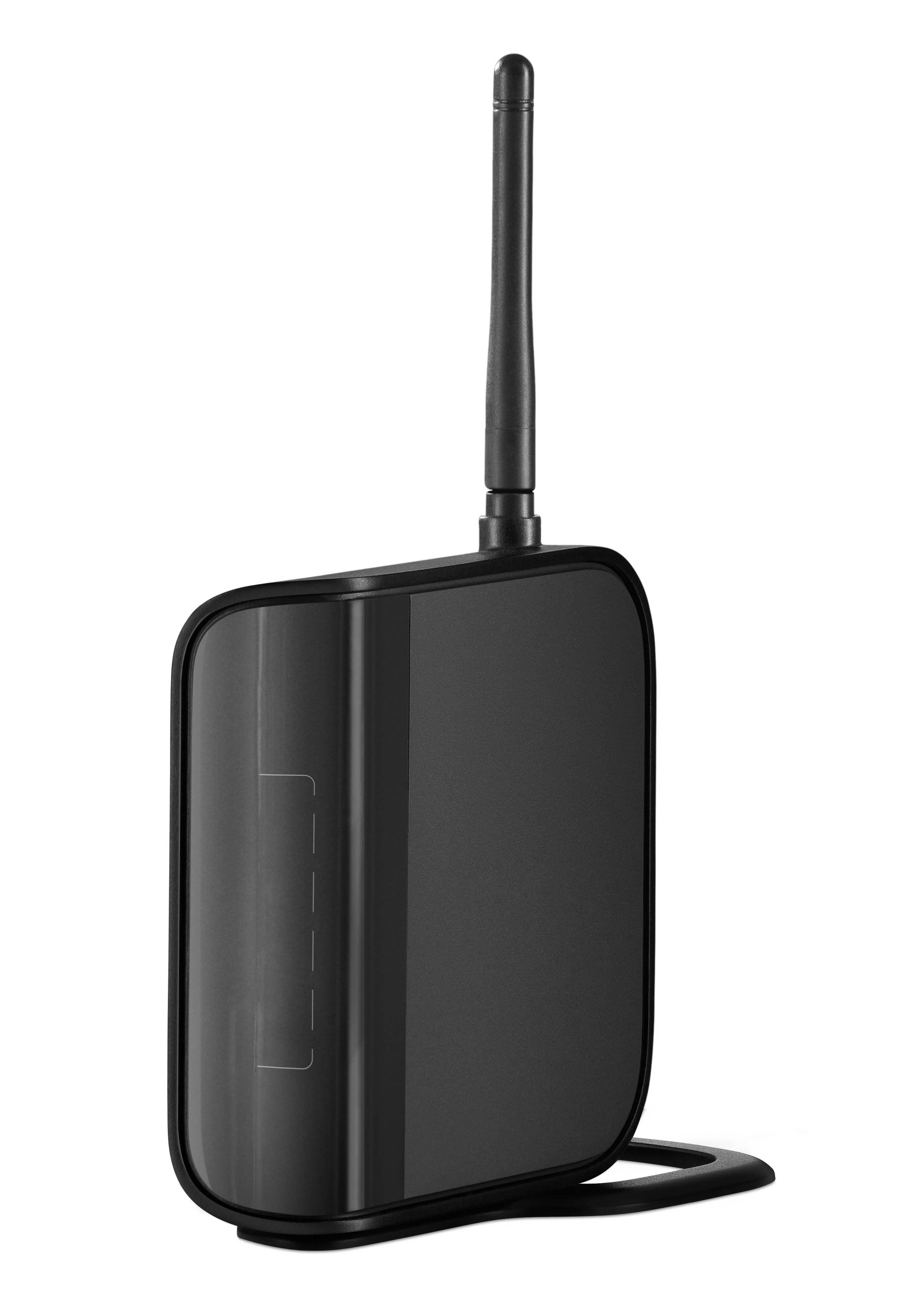
Transmit live camera feeds for on-set monitoring and production review. Supported recordings can be transferred into Threxuvanti AI for media organization and post-production workflows.
Note: Hardware, installation, and integration are not included in the standard subscription. Additional charges apply based on the hardware selected, integration modules required, and implementation scope.
The full production / 09
Starting at $200/mo
Intake. Estimates. Scheduling. Production. Media. Post. Delivery.
One connected platform, scoped to your projects.
USD subscription.
One-time onboarding is separate.
Onboarding / 10
A one-time setup for your client intake, estimates, scheduling, shoot operations, media assets, post-production reviews, and delivery records. Fees are starting points; final scope depends on project volume, integrations, and deployment requirements.
Starting at$1,000+one-time
Starting at$2,500+one-time
Everything in Essential, plus:
Starting at$5,000+one-time
Everything in Plus, plus:
Secure cloud hosting, daily backups, and managed updates for your production team. Fastest way to get your first project live.
Run the platform inside your own cloud VPC or on-prem environment for unreleased footage, client briefs, and contracts. Monthly subscription remains unchanged.
Note: The subscription is identical on either model; only the onboarding scope differs by your security and deployment requirements.
Pre-purchase FAQ / 11
Threxuvanti AI connects approved production estimates with crew allocations, equipment rentals, shooting schedules, and daily production records. Line Producers can compare planned costs against actual expenses, identify budget variances, and review additional production requirements before they affect project profitability. Changes remain subject to authorized approval.
The Scheduling module identifies conflicts involving crew, equipment, talent, and locations based on recorded availability. Production Managers can review alternative schedules, assess affected scenes, and update confirmed arrangements. The Dashboard highlights delivery risks using current production progress, outstanding work, and project deadlines.
The Media Assets module tracks camera rolls, scene and take identifiers, file transfers, and verification records. Supported AI analysis helps organize footage, identify potentially missing clips, and improve media retrieval. File integrity relies on actual checksum verification, while authorized production staff remain responsible for approving media reuse and release.
Yes, the planned workflow is designed to complement professional editing applications rather than replace them. Post-production teams can manage review versions, consolidate timecoded client feedback, track picture-lock approvals, and inspect technical QC results in Threxuvanti AI. Native project interchange and automated synchronization depend on the supported integration methods.
The Closeout module compares required deliverables with approved video masters, QC records, music licenses, talent releases, and delivery documentation. It highlights missing files, potential usage-rights conflicts, and incomplete approvals before release. Production teams can record client acceptance, reconcile final project costs, and prepare settlement records, with legal and financial authorization retained by responsible personnel.