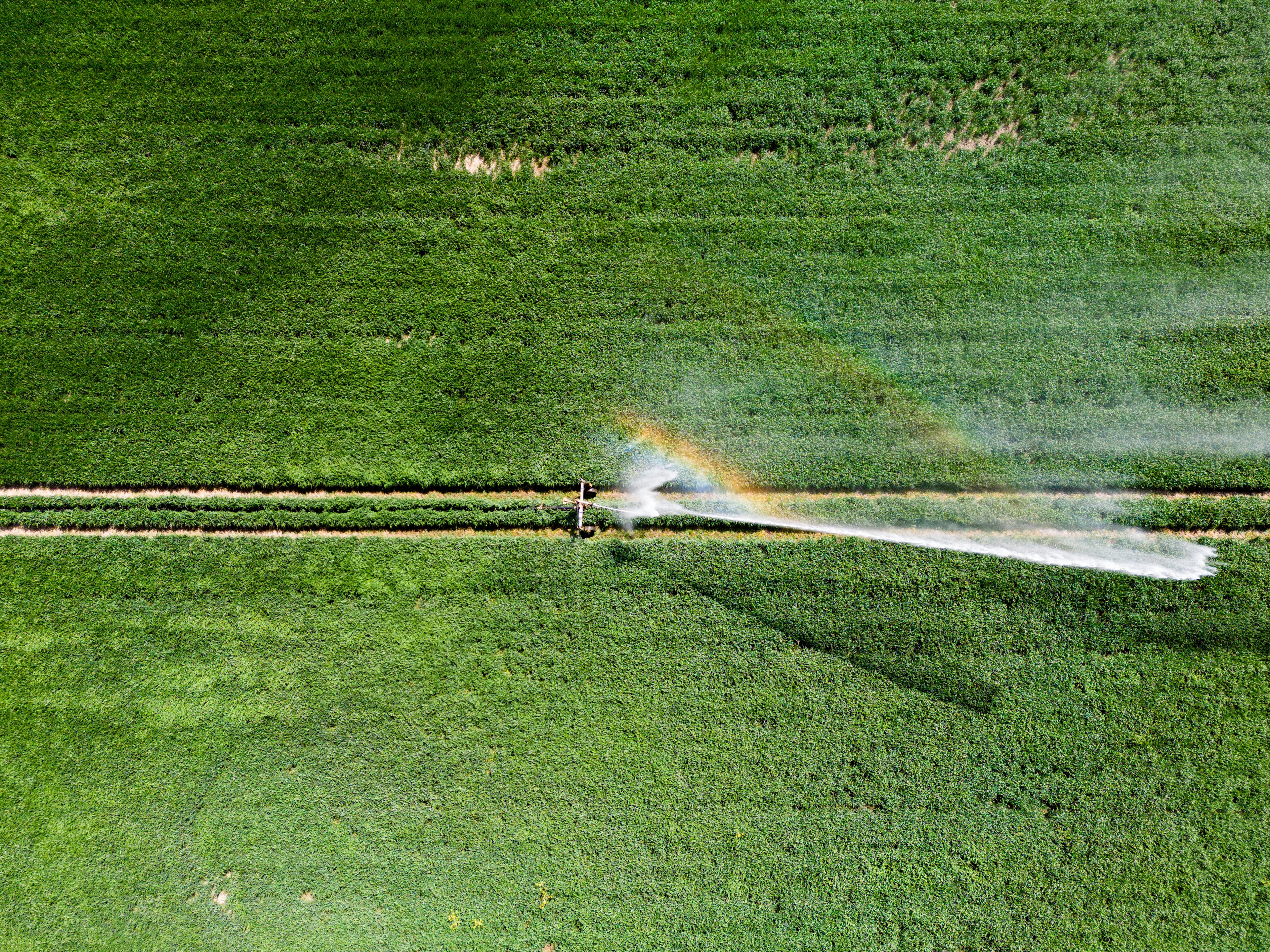

One operational record for precision field service.

Zonivora AI connects grower requests, field assessment, agronomic prescriptions, equipment readiness, field execution, quality acceptance and settlement in one workspace. AI helps surface evidence gaps and operational exceptions, while qualified people approve agronomic, safety, quality and billing decisions.

About Zonivora AI

Zonivora AI connects the physical field job to its supporting evidence, so service providers can follow every handoff from request to accepted invoice.

Eight modules share one continuous operational record. Verify the field, approve the prescription, release the work order, reconcile as-applied evidence and settle only accepted work.

  • Verify the field

    Confirm authorization, boundary, acreage and access before work begins.

  • Approve prescriptions

    Turn agronomic evidence into versioned, machine-ready treatment instructions.

  • Reconcile application

    Compare planned treatment with actual coverage, rates and material use.

  • Close with evidence

    Link quality acceptance, compliance records, billing and grower handover.

Dashboard

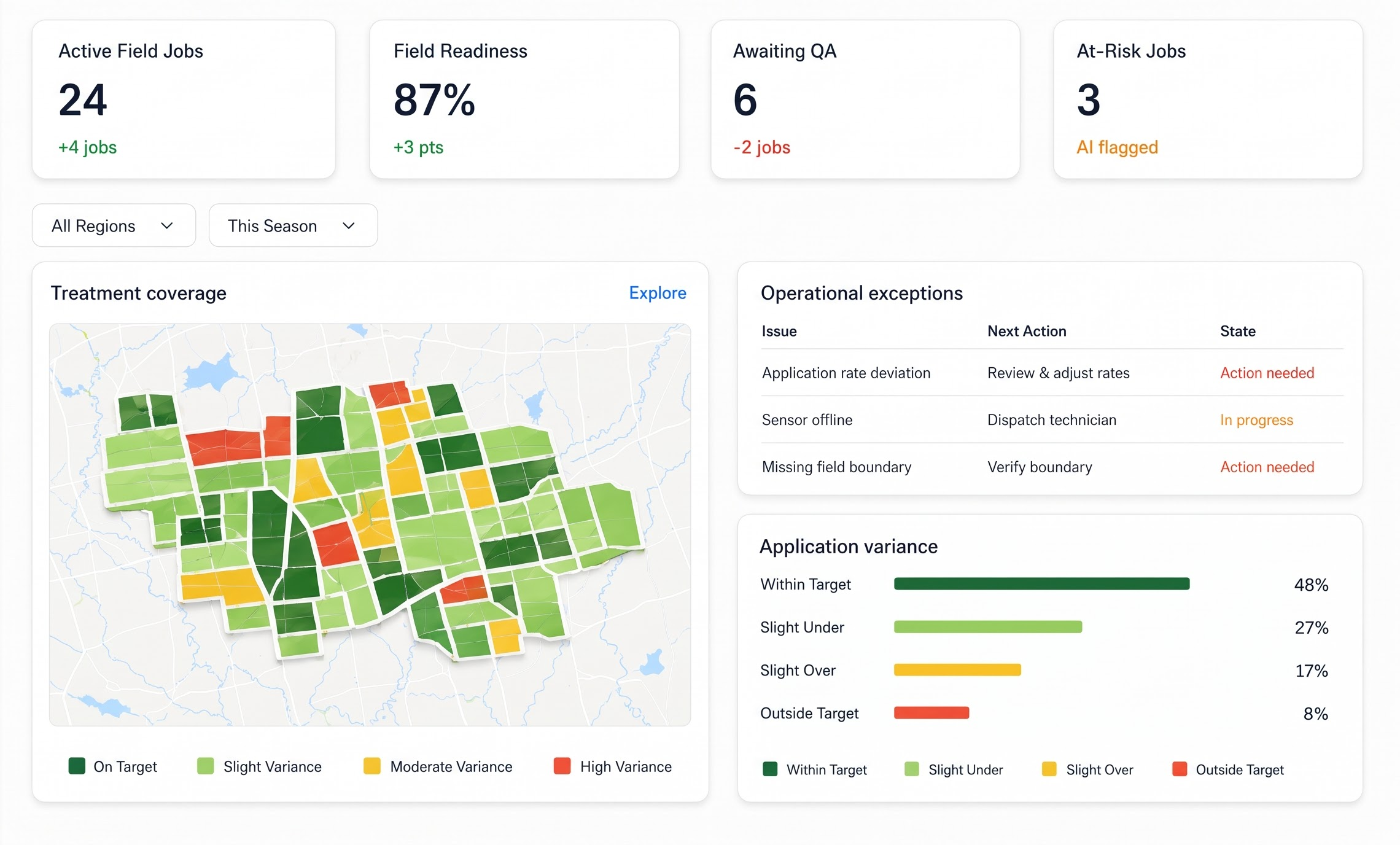
Your daily field service, with the next action in view.

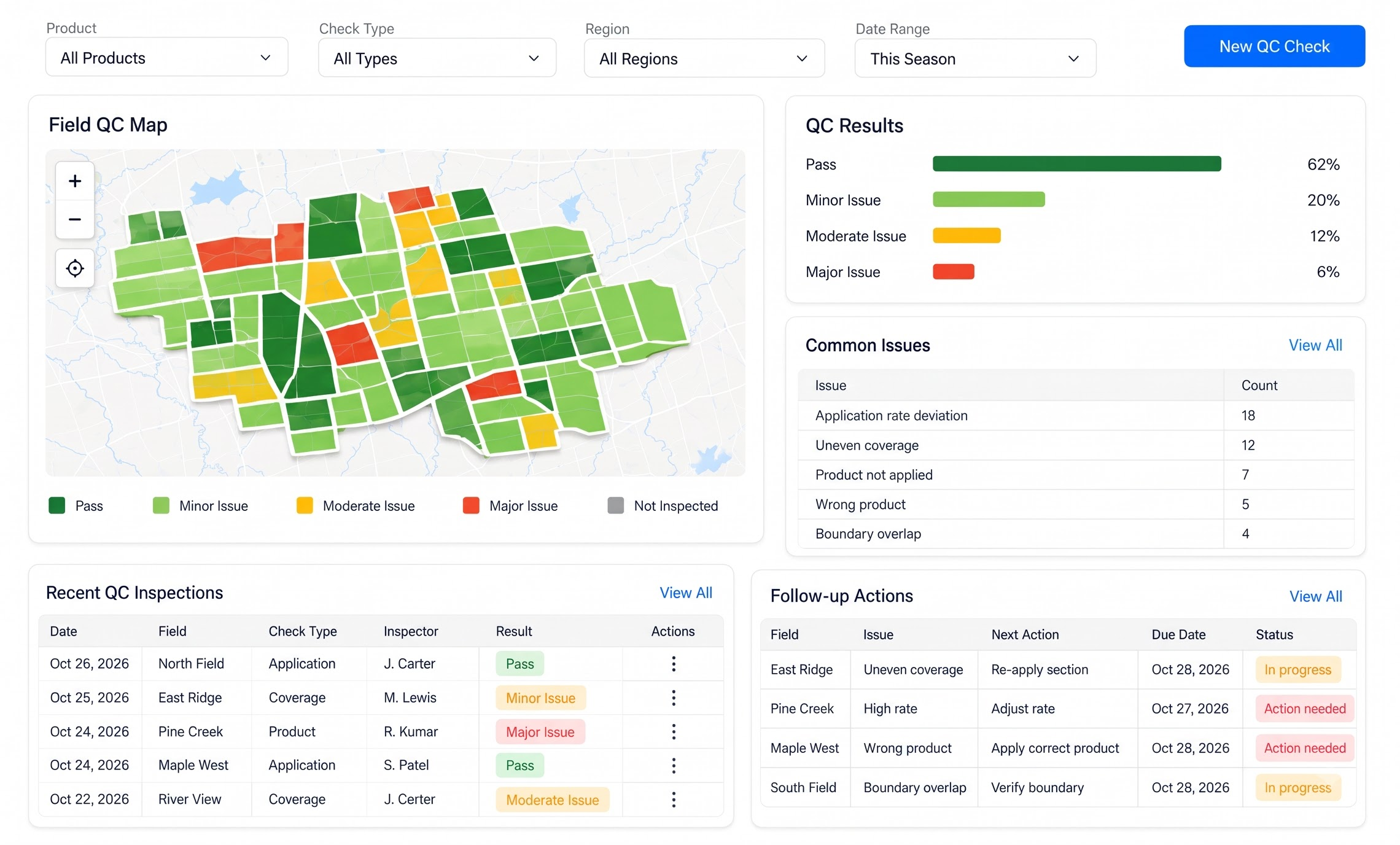
Zonivora AI brings active jobs, field readiness, prescription approvals, execution exceptions, quality acceptance and settlement status into one place. Its automations extract field evidence, detect anomalies, prioritize exceptions and prepare reviewable actions while source records and authorized approvals determine what happens next.

app.zonivora.ai/dashboard
Zonivora AI Dashboard

Illustrative Zonivora AI workspace with synthetic field-service data. Expand to explore the dashboard and its callouts.

Eight connected modules

Eight modules. One connected field-service record.

Zonivora AI automates evidence intake, field mapping, rate calculations, readiness checks, execution monitoring, exception routing and settlement preparation across the service lifecycle. Human approvals remain explicit at authorization, prescription, dispatch, quality and billing gates.

app.zonivora.ai/service-intake
Zonivora AI Service Intake
02 / 08

Service Intake

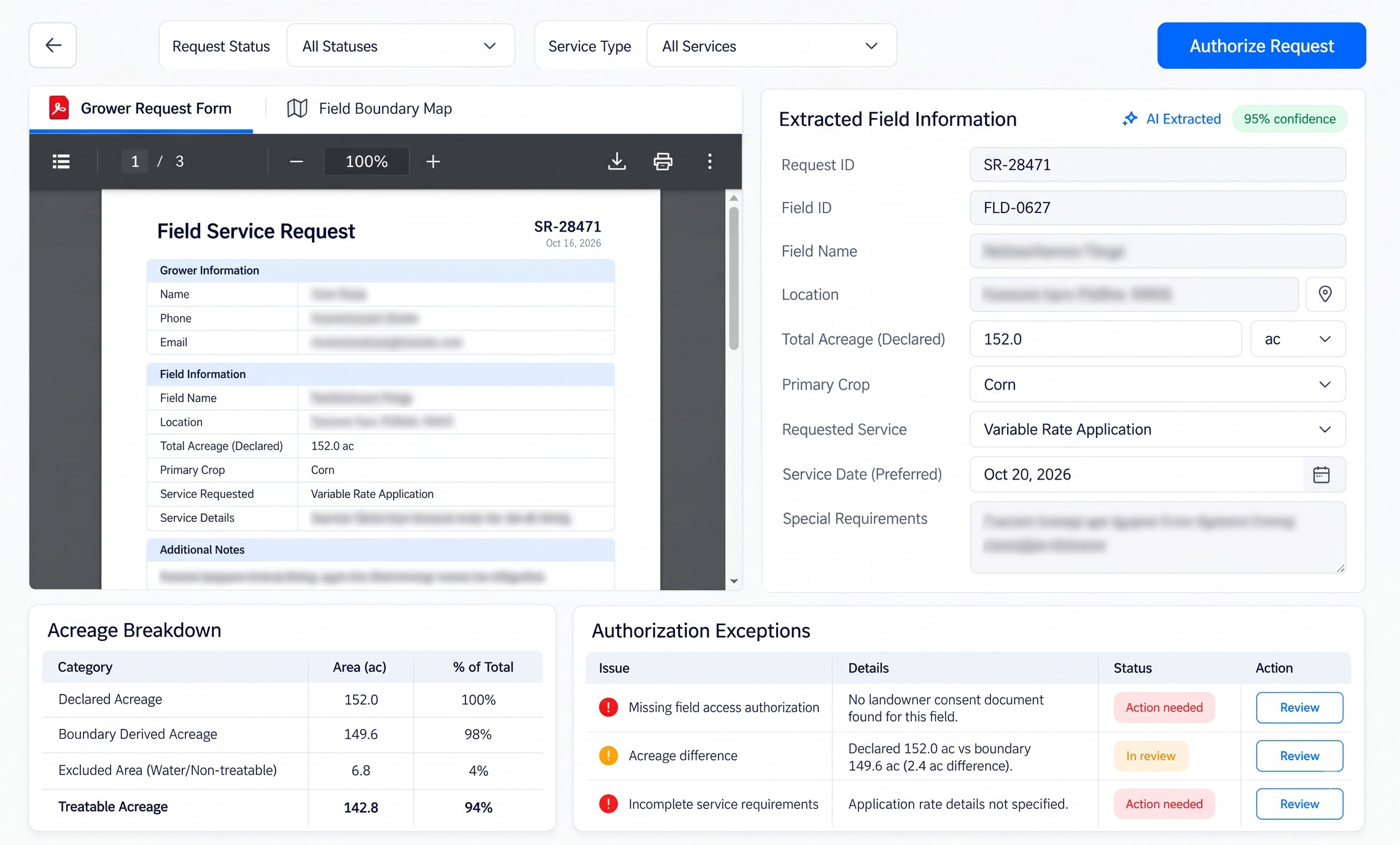
Receive grower requests, verify authorization and field identity, reconcile treatable acreage, prepare a quotation and assign the assessment. AI extracts request data, detects boundary conflicts and drafts the quote for approval.

Field identityAcreageQuotation
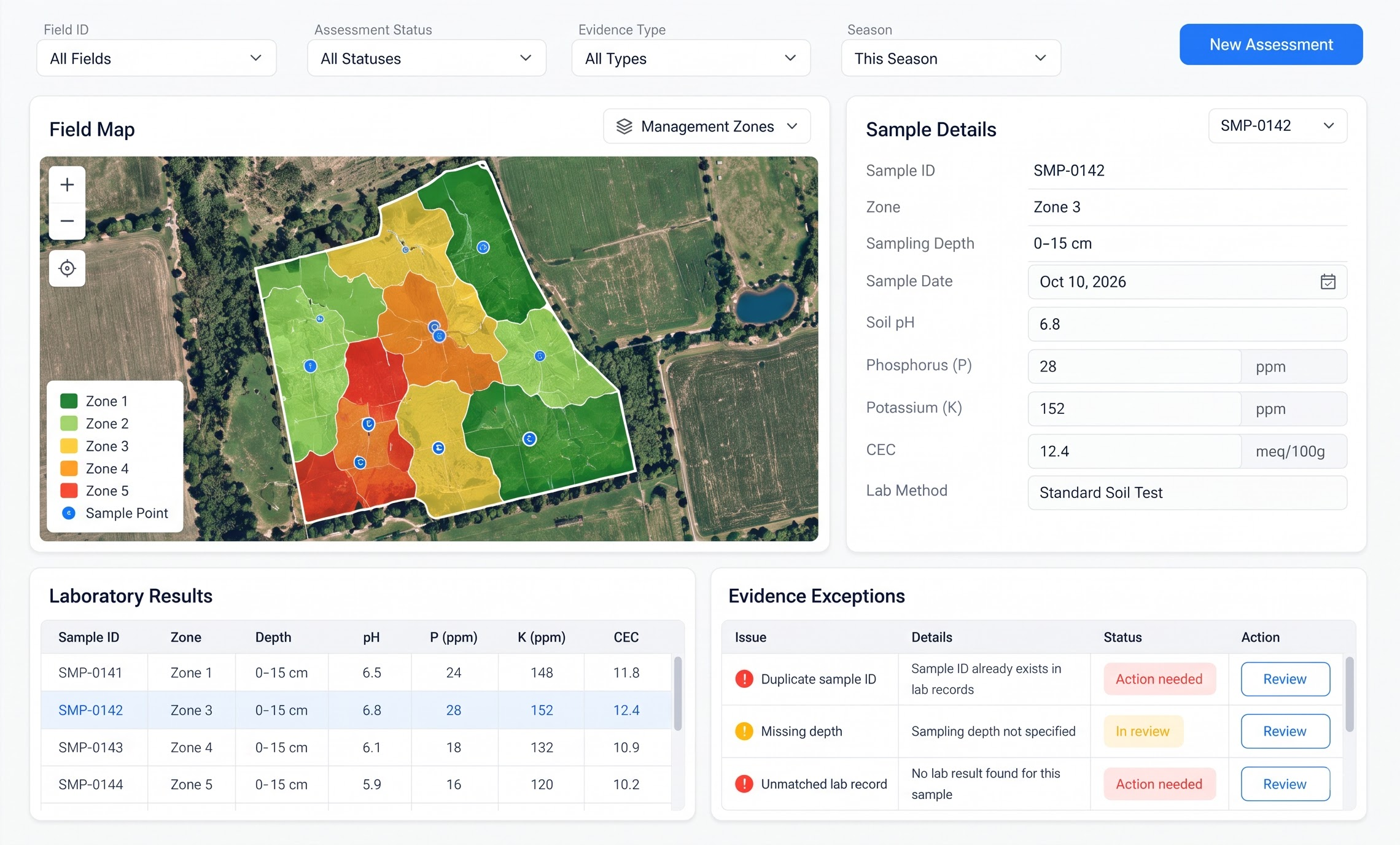
app.zonivora.ai/field-assessment
Zonivora AI Field Assessment
03 / 08

Field Assessment

Reconcile soil samples, laboratory results, scouting observations, GNSS points and imagery into a verified assessment and management-zone map. AI extracts lab values, flags duplicate samples and surfaces evidence gaps without replacing agronomic interpretation.

SamplesLab evidenceZones
app.zonivora.ai/prescriptions
Zonivora AI Prescriptions
04 / 08

Prescriptions

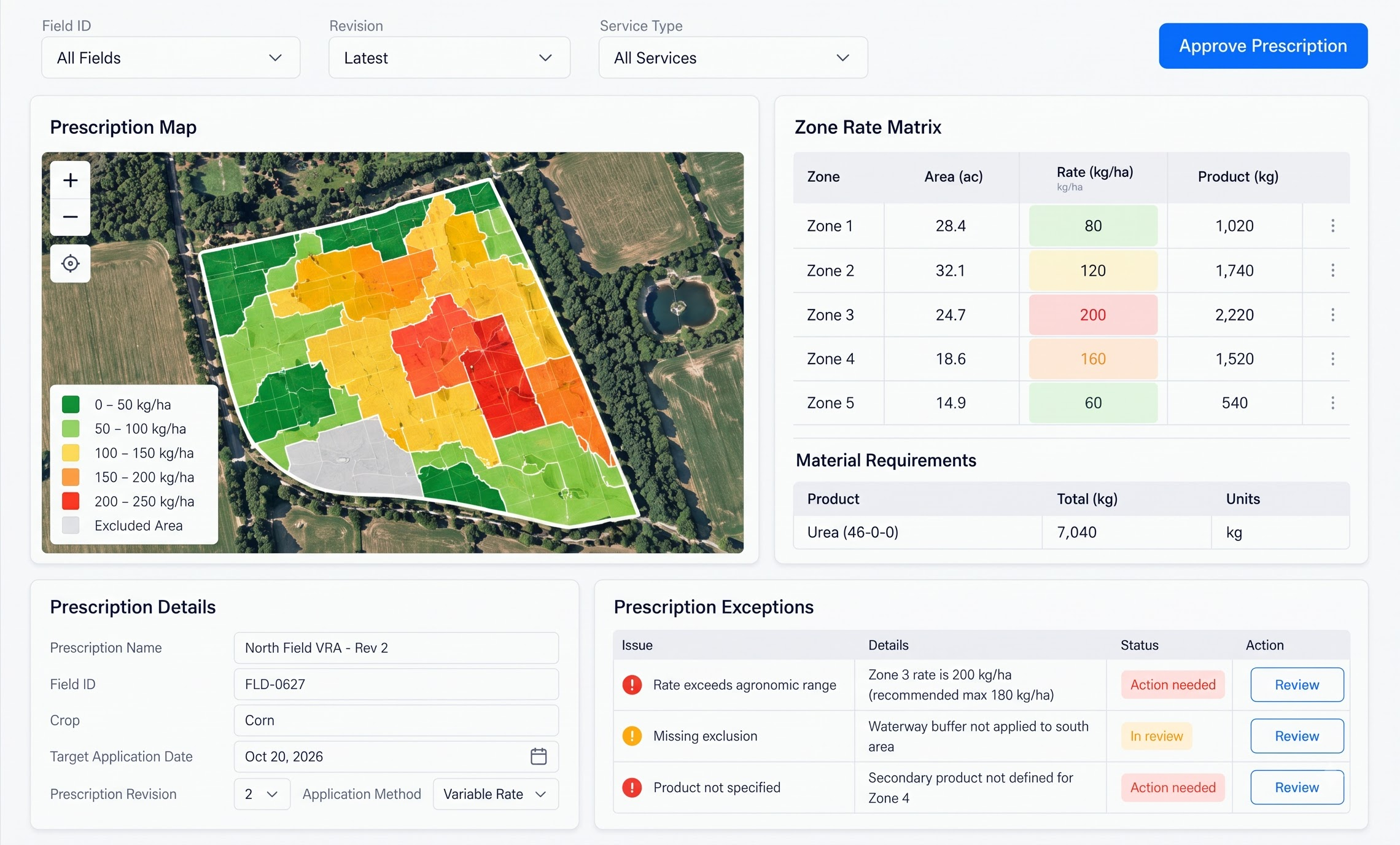
Build versioned, zone-specific treatment instructions with units, product quantities, exclusion areas and agronomist approval before machine export. AI checks calculations, unit compatibility and unusual rate changes before a human authorizes the prescription.

Approved zonesAvg rateProduct
app.zonivora.ai/work-orders
Zonivora AI Work Orders
05 / 08

Work Orders

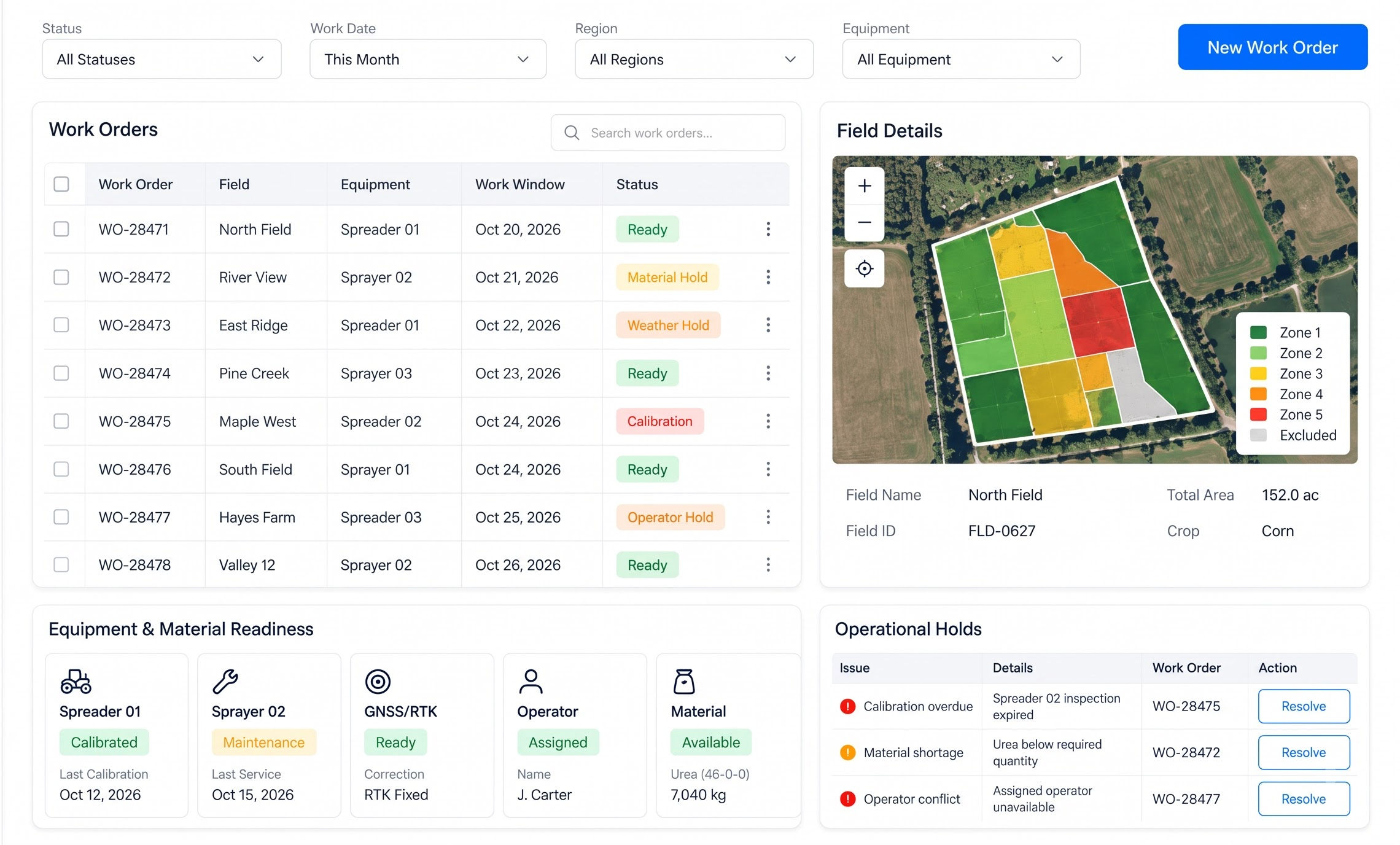
Schedule operators, allocate machinery and materials, record calibration and readiness checks, then release the field-executable assignment. AI finds resource conflicts, missing checks, maintenance patterns and weather-related readiness risks.

PreparingCalibrationReady
app.zonivora.ai/field-operations
Zonivora AI Field Operations
06 / 08

Field Operations

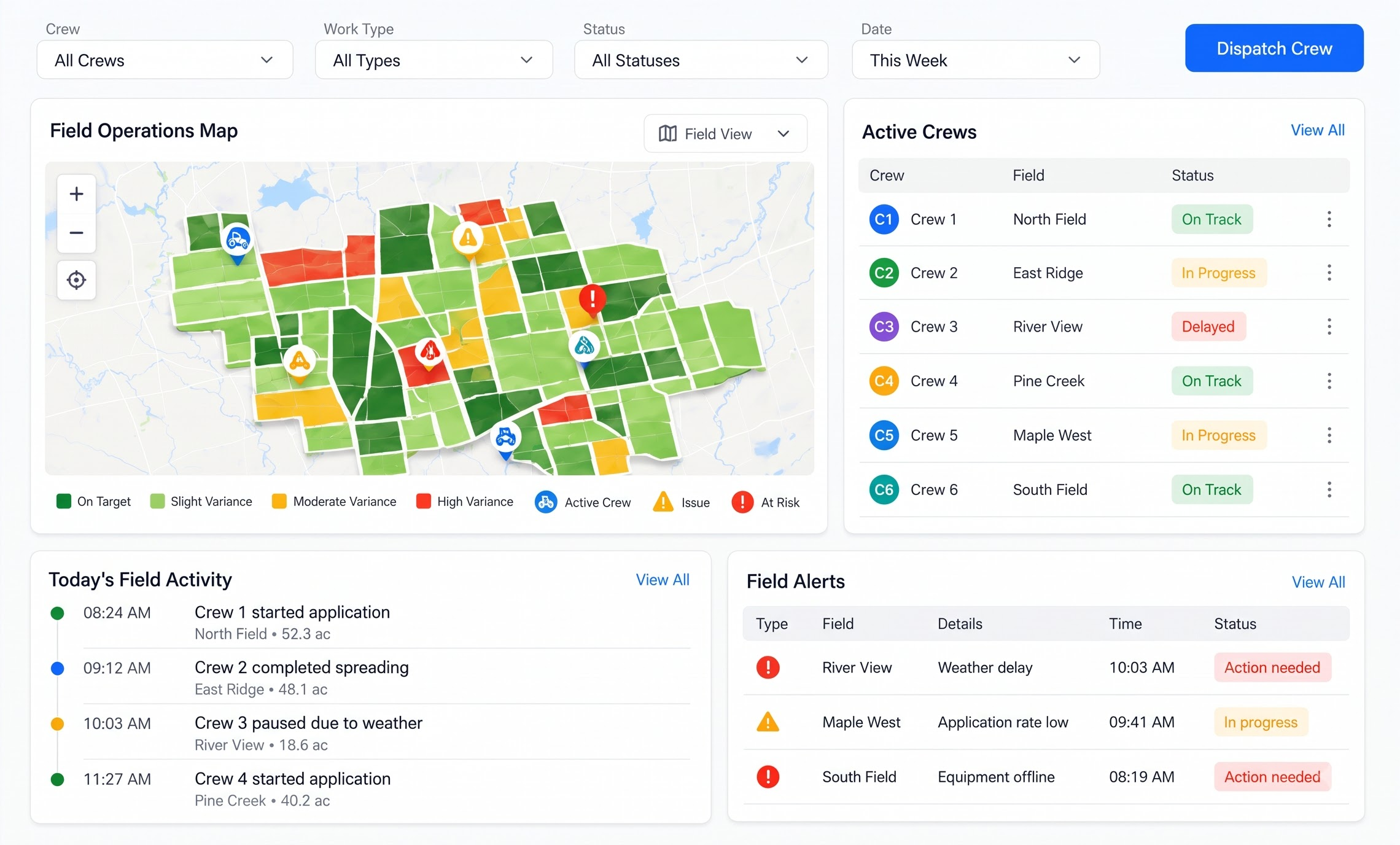
Supervise authorized application with planned versus recorded coverage, rates, GNSS quality, refills, interruptions and field exceptions. AI detects rate deviations, positioning changes, abnormal stops and material-use discrepancies in the execution evidence.

Treated areaRate varianceExceptions
app.zonivora.ai/quality-control
Zonivora AI Quality Control
07 / 08

Quality Control

Compare as-applied evidence with the prescription, reconcile material use, check applicable safety and regulatory records, and obtain acceptance. AI calculates coverage variance, identifies missing documents and drafts evidence-linked findings for the inspector.

CoverageComplianceAcceptance
app.zonivora.ai/settlement
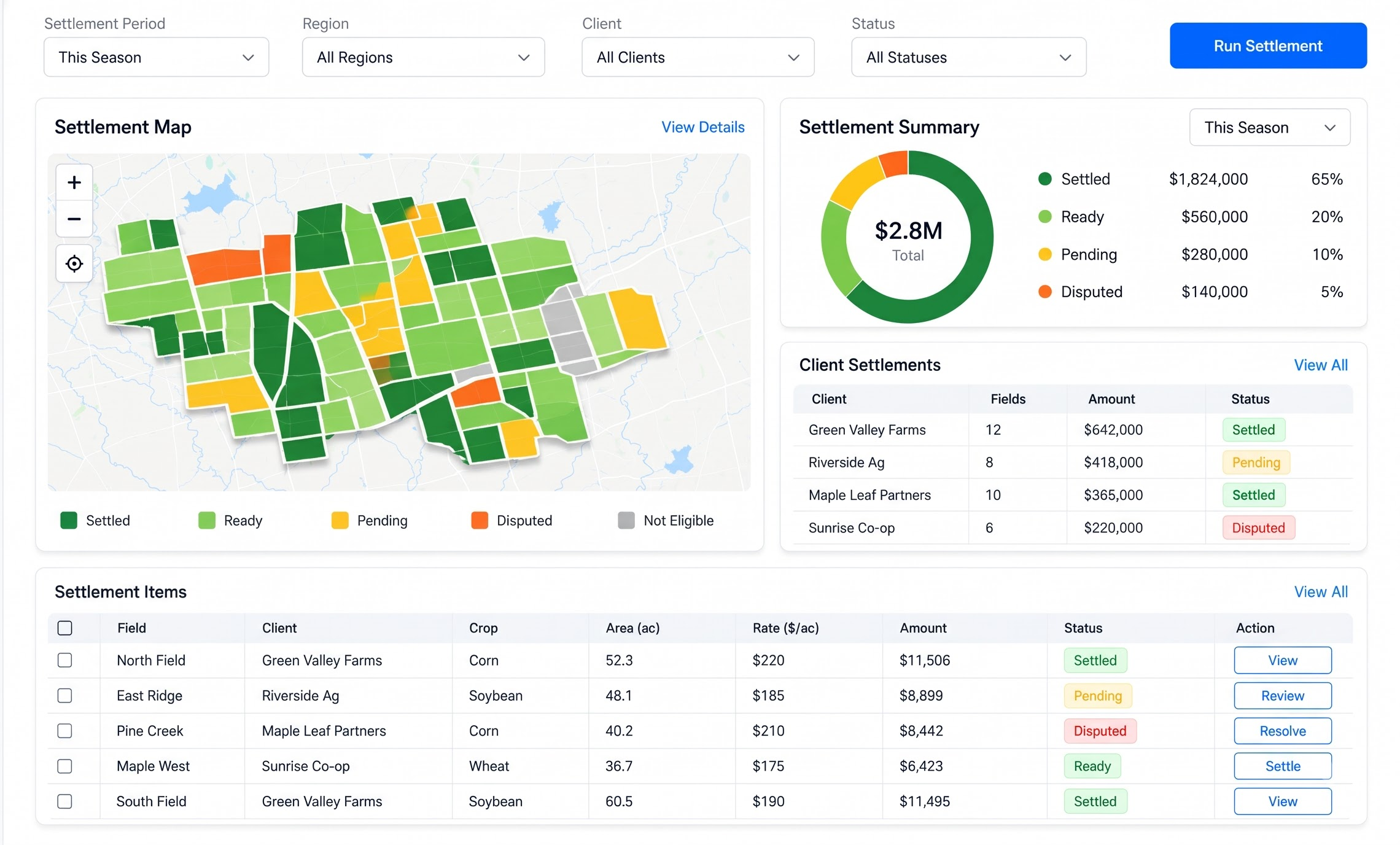
Zonivora AI Settlement
08 / 08

Settlement

Reconcile accepted hectares, material consumption, machinery time, approved extras and evidence before invoicing and grower handover. AI extracts billable quantities, flags unsupported charges and prepares a completion summary from accepted records.

Billable areaInvoiceHandover

How it works

From grower request to accepted field service.

Zonivora AI follows the operational lifecycle: verify the field, assess evidence, approve the prescription, prepare and execute work, inspect the result, then settle accepted service. Each handoff carries its records and approval requirements.

  1. Step 01: Verify the grower request

    Confirm authorization, field identity, boundary, acreage, access and the requested service.

  2. Step 02: Assess & approve the prescription

    Reconcile samples and agronomic evidence, then prepare a versioned, machine-ready treatment plan.

  3. Step 03: Release & execute field work

    Check calibration, equipment, materials and operators, then record actual coverage, rates and exceptions.

  4. Step 04: Inspect & accept the work

    Compare as-applied evidence with the prescription, verify applicable records and document corrective action.

  5. Step 05: Reconcile & settle

    Bill only accepted hectares and approved extras, then deliver the final field-service handover.

  6. Step 06: Close the service record

    Retain the accepted completion package, invoice, payment record and grower handover for future review.

AI orchestration

Traditional SaaS vs Zonivora AI

Don't settle for the AI your software chose.

Use a platform designed to harness the best intelligence available for the work in front of you.

Most farm software bolts one vendor's model onto its screens. Zonivora AI puts an orchestration layer between your workflow and the models, so a laboratory report, prescription revision, machine export and grower request can each go to the model that handles it best.

Traditional SaaS

Closed · Linear
  1. CRM
  2. Built-in AI
  3. “You work within its limits.”

Zonivora AI

Open · Adaptive
Your workflow · field-service tasksAI orchestration layer
  • Supplier CoA extraction

    Document model

  • Replenishment plan

    Reasoning model

    Best fit

  • Supplier inbox triage

    Fast language model

Frontier & specialist models → best model for the task

Evidence-backed suggestions · human approval

Models the orchestration layer can route to

Model names belong to their providers; shown as models the orchestration layer can route to — no partnership implied.

  • Supported
    • GPT · OpenAI
    • Claude · Anthropic
    • Gemini · Google

    Note: Routed to today for everyday planning, writing and analysis.

  • Available
    • Grok · xAI
    • Mistral · Mistral AI
    • Command · Cohere

    Note: Can be switched on per workflow when a task suits them.

  • Specialist
    • Llama · Meta
    • DeepSeek · DeepSeek
    • Qwen · Alibaba

    Note: Open-weight models that fit private, self-hosted deployments.

  • Roadmap
    • New frontier & domain models · Added after evaluation

    Note: New frontier and domain models (e.g. document models for supplier records) are evaluated as they are released, then added.

Note: Model and provider names are illustrative of Zonivora AI integration patterns; trademarks belong to their respective owners. Routing is configured per tenant and data boundary. The product-specific workflows remain field-service evidence, approvals and exceptions.

Tools & integrations

Your existing tools become part of the AI workflow.

Zonivora AI brings GIS, farm-system, machine, laboratory, accounting and messaging records into the field-service lifecycle. Connections are scoped during onboarding using available APIs, exports, webhooks or controlled imports.

Zonivora AI field records in the integration model
2268

Zonivora AI field records in the integration model

workflow groups, from ERP to automation
6

workflow groups, from ERP to automation

connected operational modules
8

connected operational modules

Settlement & accounting

Feeds: Settlement · Dashboard

Reconcile accepted hectares, approved extras, material use and invoices with your accounting records. Sync direction and fields are agreed during onboarding.

  • Zonivora AI
  • QuickBooks Online
  • Xero
  • SAP S/4HANA Cloud
  • Oracle NetSuite

Farm & ag data

Feeds: Field Assessment · Prescriptions · Field Operations

Bring field boundaries, sampling observations, management zones and machine evidence into the same field-service record where source access is available.

  • John Deere Operations Center
  • Trimble Ag Data
  • Climate FieldView

Field records & documents

Feeds: Service Intake · Field Assessment · Quality Control

Import grower requests, laboratory reports, inspection evidence and field documents for extraction, reconciliation and controlled review.

  • Gmail API
  • Google Sheets
  • Power BI

Communication & support

Feeds: Work Orders · Field Operations · Quality Control

Route equipment holds, weather exceptions, coverage findings and corrective actions to the responsible team for review.

  • Slack
  • Microsoft Teams
  • Twilio
  • Gmail API

Data & analytics

Feeds: Dashboard · Quality Control · Settlement

Export field readiness, coverage variance, accepted area and settlement metrics so operational reviews run on the same product records.

  • Power BI
  • Google Sheets

Automation

Feeds: Any Zonivora AI module

Scope webhooks and automation recipes for record handoffs, exception notifications and evidence requests. Quality acceptance remains an authorized human decision.

  • Zapier
  • Make
  • n8n

Note: Tool names and marks belong to their respective owners. No endorsement or partnership implied. Zonivora AI integrations are scoped to the field-service records, approved connectors and data boundaries confirmed during implementation; unsupported services are not included.

Industry AI agents

Your field service AI agents, run like production systems.

Not chatbots. Operational agents built around the agricultural service lifecycle — your fields, samples, prescriptions, equipment and as-applied records — connected to the tools you already run.

  1. 01Workflow

    Field service lifecycle

  2. 02AI agents

    Find evidence gaps and exceptions

  3. 03Connected tools

    GIS, machine exports, lab and ERP records

  4. 04Execution

    Prepares reviewable actions

  5. 05Outcome

    Accepted work, defensible settlement

Compliance

Practical support for your agricultural compliance records

Zonivora AI helps organize the field records your team already works with: prescriptions, calibration checks, as-applied evidence, inspections, corrective actions and grower acceptance. These are focused record-keeping workflows, not complete compliance or certification services.

  • EPA

    Pesticide application records

    Note: Keep product, field, rate, date, applicator and treated‑area evidence together where pesticide work is in scope. The platform supports record organization; it does not determine jurisdiction‑specific obligations.

  • REI / PHI

    Restricted‑entry and pre‑harvest timing

    Note: Capture label‑driven timing checks and surface missing evidence for agronomist or compliance review. Product labels and local authority requirements remain the source of truth.

  • Worker safety

    Applicator and field‑safety evidence

    Note: Link operator assignments, equipment checks, training evidence and field restrictions to the work order. Safety decisions and certification remain with the responsible employer and qualified personnel.

  • USDA / state

    Agricultural inspection readiness

    Note: Assemble prescriptions, calibration sheets, as‑applied evidence, inspection findings and grower acceptance for review. This supports audit preparation, not certification or legal advice.

Note: These are operational and regulatory evidence categories the platform can support inside your workflows. They are not certifications held by us, and product support is not a substitute for your agronomist, safety lead, compliance officer or legal counsel.

HARDWARE ADD-ONS

Add the hardware your workflow needs.

Use compatible devices to collect field, sampling, positioning and application evidence. The platform accepts controlled exports when a live connection is unavailable; connector scope and model compatibility are confirmed during implementation.

  • GNSS / RTK receiver line illustration

    Service Intake · Field Assessment · Field Operations

    GNSS / RTK receiver

    Capture field boundaries, sampling locations and machine position with a documented coordinate reference.

    Data pathway
    NMEA, shapefile, GeoJSON or controlled export from a compatible receiver; live telemetry requires scoped implementation.
    Operational action
    Link a verified field identity and georeferenced execution evidence to the service record.
  • Soil sampling and moisture probe line illustration

    Field Assessment

    Soil sampling and moisture probe

    Record sampling depth, moisture observations and point-level field evidence during assessment.

    Data pathway
    CSV or mobile export linked to sample IDs and field zones.
    Operational action
    Reconcile physical samples with laboratory results and flag missing or mismatched observations.
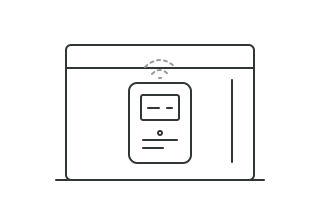
  • Application-rate monitor line illustration

    Prescriptions · Work Orders · Field Operations

    Application-rate monitor

    Capture implement calibration, meter output and actual rate evidence during field execution.

    Data pathway
    Machine export or controller file mapped to the approved prescription and equipment record.
    Operational action
    Compare planned versus recorded rate and surface variance before acceptance.
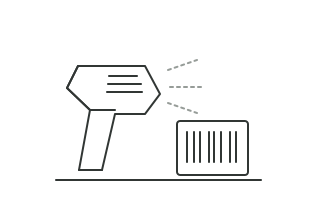
  • Document and label scanner line illustration

    Service Intake · Quality Control · Settlement

    Document and label scanner

    Digitize grower requests, laboratory reports, delivery tickets, labels and inspection records.

    Data pathway
    PDF or image export linked to the field, work order, product or settlement record.
    Operational action
    Extract fields for review, preserve source evidence and identify missing compliance documents.

Note: Illustrations show generic equipment categories. Actual models, file formats and connector compatibility are confirmed for your implementation.

Note: Hardware, installation, and integration are not included in the standard subscription. Additional charges apply based on the hardware selected, integration modules required, and implementation scope.

Agronomist reviewing a field assessment

Pricing

One platform. One monthly plan.

Zonivora AI is priced as a single subscription for the whole agricultural service command layer, with no per-module add-ons and no seat maths to decode.

Zonivora platform

Monthly

Starting at

$200/mo

  • All 8 modules, from service intake to settlement
  • AI orchestration across frontier and specialist models
  • Cloud or private deployment, with field evidence controls
Know more

Onboarding

What your onboarding fee covers

A one-time setup that gets your field-service team live before the first monthly cycle: we map growers, fields, boundaries, rate cards, equipment, historical evidence and approval roles, then connect the systems and exports your operation already uses. Every fee below is a starting point; final scope depends on your sites, data, integrations, compliance requirements and deployment model.

  1. Essential

    Note: One site, core data and a fast field-service rollout.

    from

    $1,000+one-time

    Starting price. Final scope is set to your requirements.

    Includes:

    • Kickoff workshop and rollout plan for one site
    • Grower, farm, field and boundary setup for one service region
    • Historical assessment, prescription and work-order import
    • Rate cards, acreage rules and quotation templates configured
    • Equipment, operator and calibration templates loaded
    • Roles and approvals for agronomy, dispatch, QA and settlement
    • Spreadsheet, PDF and machine-export intake connected
    • Go-live readiness check with your operations team
  2. Plus

    Recommended

    Note: Your GIS, machine exports and lab evidence connected.

    from

    $2,500+one-time

    Starting price. Final scope is set to your requirements.

    Everything in Essential, plus:

    • GIS, farm-system or ERP connection for field and customer data
    • ISOXML, shapefile, GeoJSON and machine-export mapping
    • Laboratory, scouting and compliance-document backlog import
    • Equipment and GNSS/RTK evidence mapping to field jobs
    • Live training for agronomists, dispatch, QA and accounts
  3. Enterprise

    Note: Multi-site, private and inspection-ready deployment.

    from

    $5,000+one-time

    Starting price. Final scope is set to your requirements.

    Everything in Plus, plus:

    • Multi-site rollout across farms, contractors and service regions
    • Agronomic, operational, quality and settlement approval rules
    • Private deployment hardening in your cloud / VPC or on-prem
    • SSO and audit-trail configuration for your identity provider
    • Validation support for agricultural inspections and customer audits
    • Named onboarding lead with an agreed go-live date

Deployment

Two ways to run the platform

The subscription is the same either way. Only the one-time onboarding may differ with your requirements.

Cloud (SaaS)

Note: Runs in Nestack's managed cloud. We handle hosting, scaling, updates and backups, so field records, alerts and approval workflows are available without infrastructure to stand up.

Private / self-hosted

Note: The same platform deployed inside your own cloud / VPC or on-prem. Field boundaries, prescriptions, machine evidence and grower records stay in your environment, and the monthly subscription stays exactly the same.

Note: Deployment, data residency, connector access and hardware compatibility are confirmed for Zonivora AI during implementation; unrelated services and unsupported devices are not included.

FAQs

Common questions field-service teams ask

What Zonivora AI needs from you, how it handles field evidence and compatibility, and how pricing and onboarding work.

It connects the service lifecycle from grower request and field verification through assessment, prescription, work order, as-applied evidence, quality acceptance and settlement. AI surfaces gaps and anomalies; qualified staff remain responsible for approval and field decisions.