

app.zynqorev.ai/ordersOrders
02 / 08
Orders
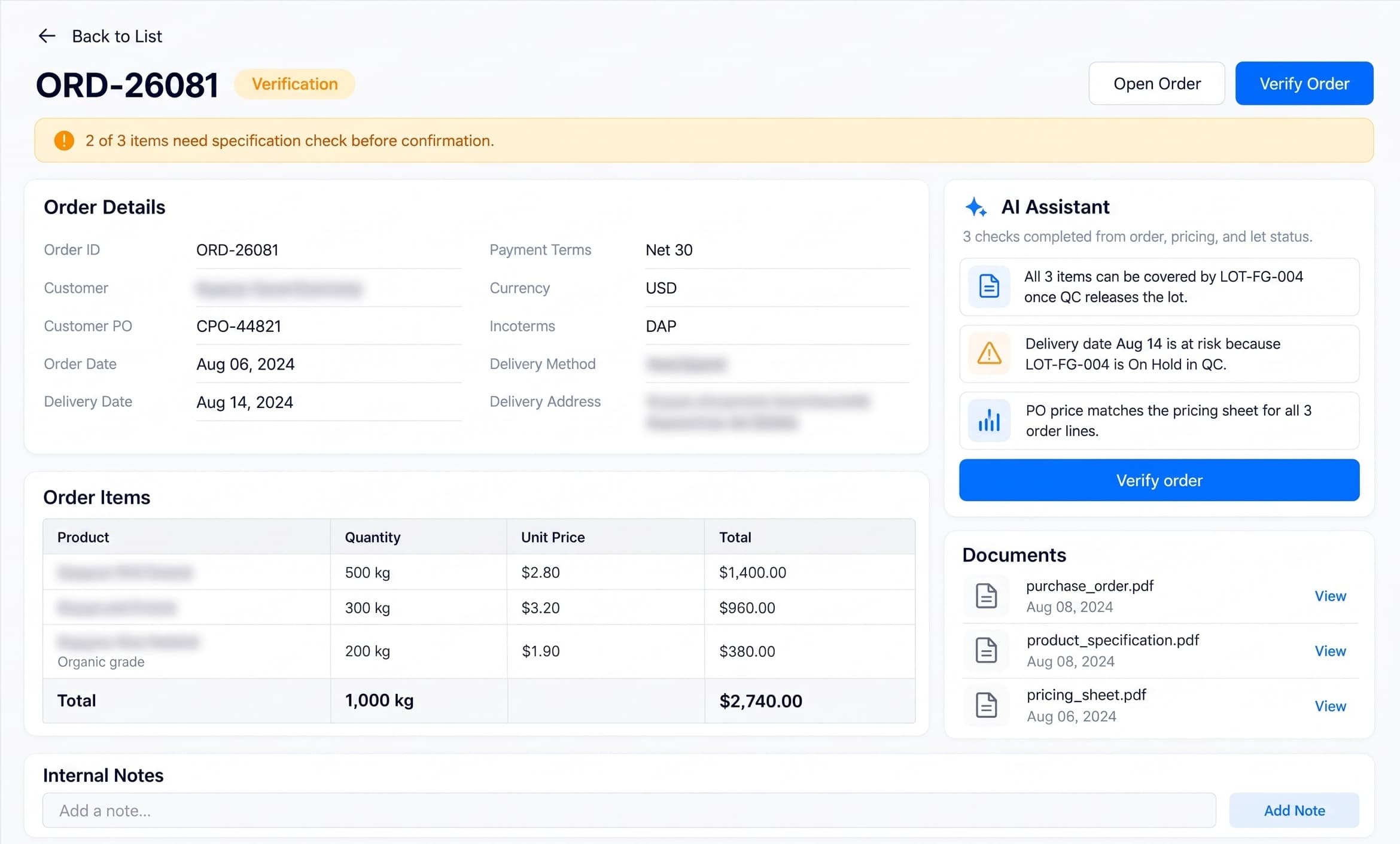
Turn customer purchase orders and email attachments into verified quantities, delivery commitments and shelf-life requirements. Review ambiguous lines before accepting an order.
NewVerificationConfirmed
Zynqorev AI brings your food operation into one connected workspace. Turn customer orders and supplier receipts into practical production plans. Record each batch, review quality evidence and track stock by lot and expiry. Ship eligible released products and link deliveries to invoices. AI helps your team find gaps and understand exceptions, while your people approve decisions.
About Zynqorev AI
Zynqorev AI connects customer demand to supplier lots, production records, QA decisions and shipment evidence, so food teams can follow every handoff.
Eight modules share one continuous operational record. Plan with accepted materials, capture batch evidence and dispatch eligible stock after authorized QA release.
Verify orders and plan batches using available demand history.
Track shelf life by lot and cut fresh-stock waste.
Review inspections, lab results and authorized lot release.
Keep supplier documents, batch records and approvals linked.
Built for your operation
Food Products & Goods and Agritech Services share one platform, from raw-material procurement to financial settlement.
Swipe to explore suite cards
Agri-food operations & supply
Connected food operations, from supplier lot to customer shipment.
You are hereProcessing & packaging
Connect recipes, batch records, packaging checks and QA release.
Open site(opens in a new tab)Sourcing & fulfillment
Link supplier receipts, raw-material lots and customer shipments.
Open site(opens in a new tab)Dashboard
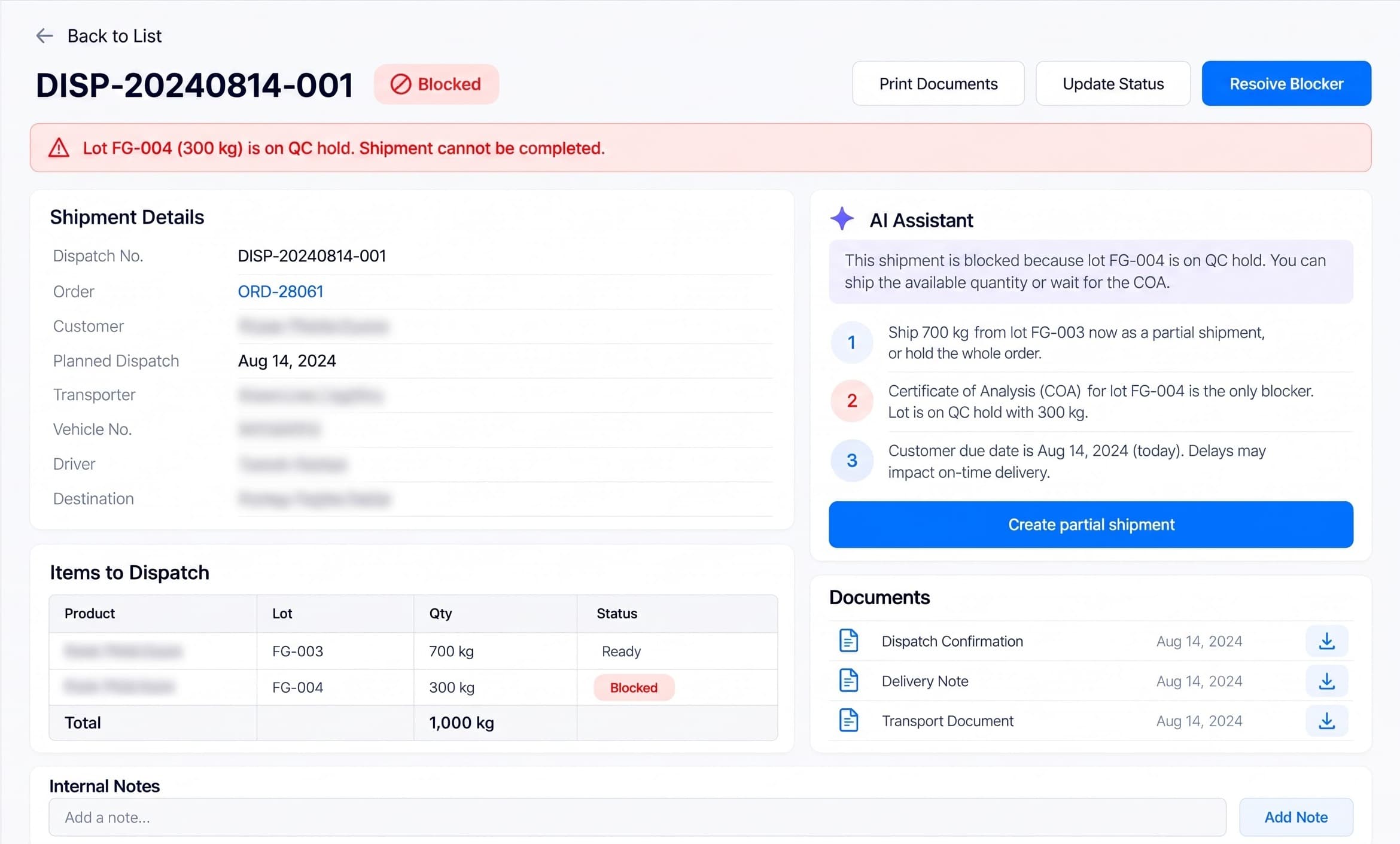
The Dashboard brings orders, production output, quality holds and dispatch readiness into one place. It compares production with plan, highlights unresolved exceptions and links teams back to the records that need review. AI recommendations help prioritize work; recorded evidence and authorized approvals determine what happens next.
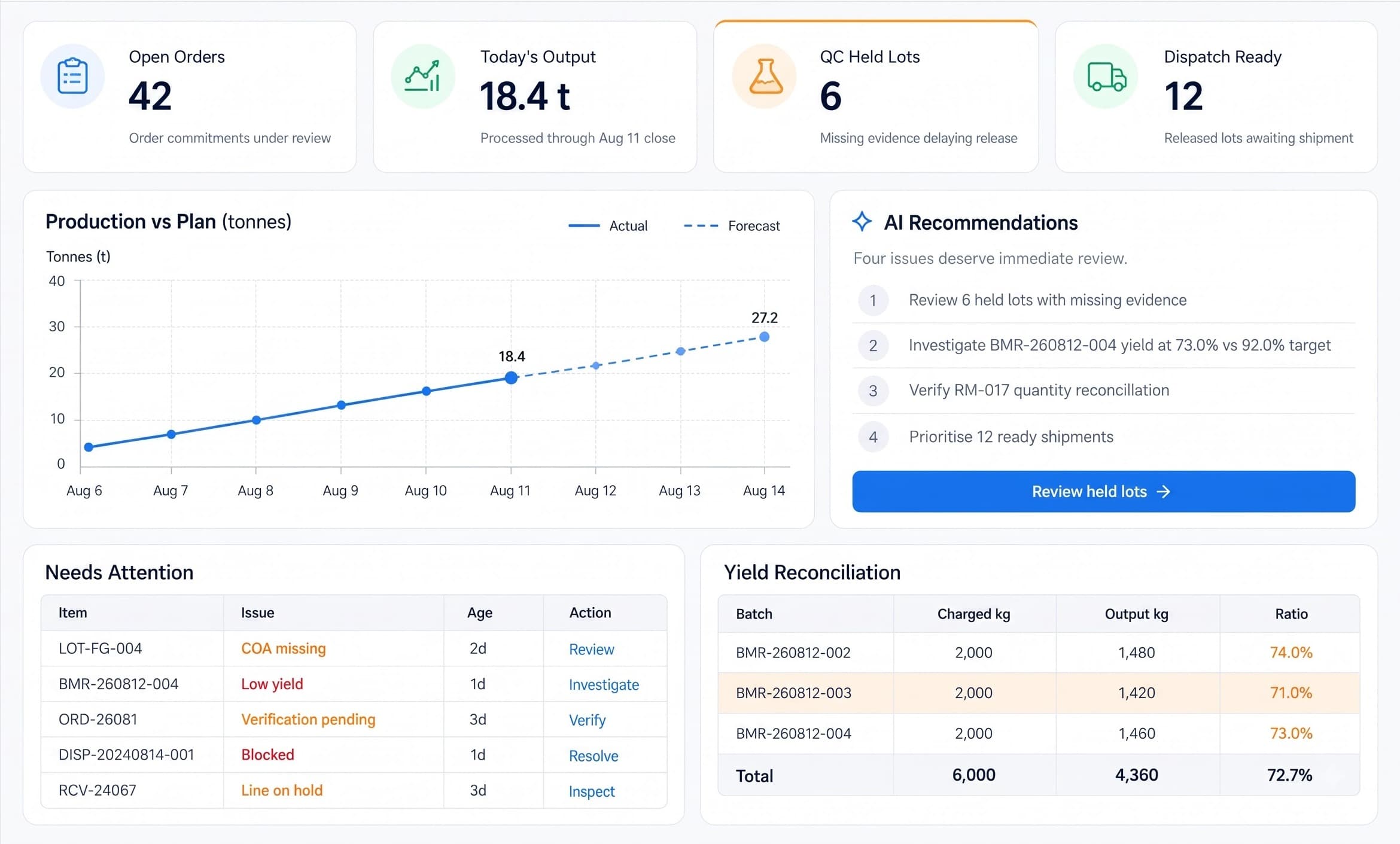
Illustrative workspace. Expand to explore the dashboard and its callouts.
Eight connected modules
The Dashboard brings priorities together. Orders verifies demand; Receiving identifies accepted materials; Production Planning builds work orders; Production captures batch execution; Quality Control manages disposition; Inventory maintains lot stock and traceability; Dispatch connects eligible shipments to settlement.
Swipe to explore modules
Turn customer purchase orders and email attachments into verified quantities, delivery commitments and shelf-life requirements. Review ambiguous lines before accepting an order.
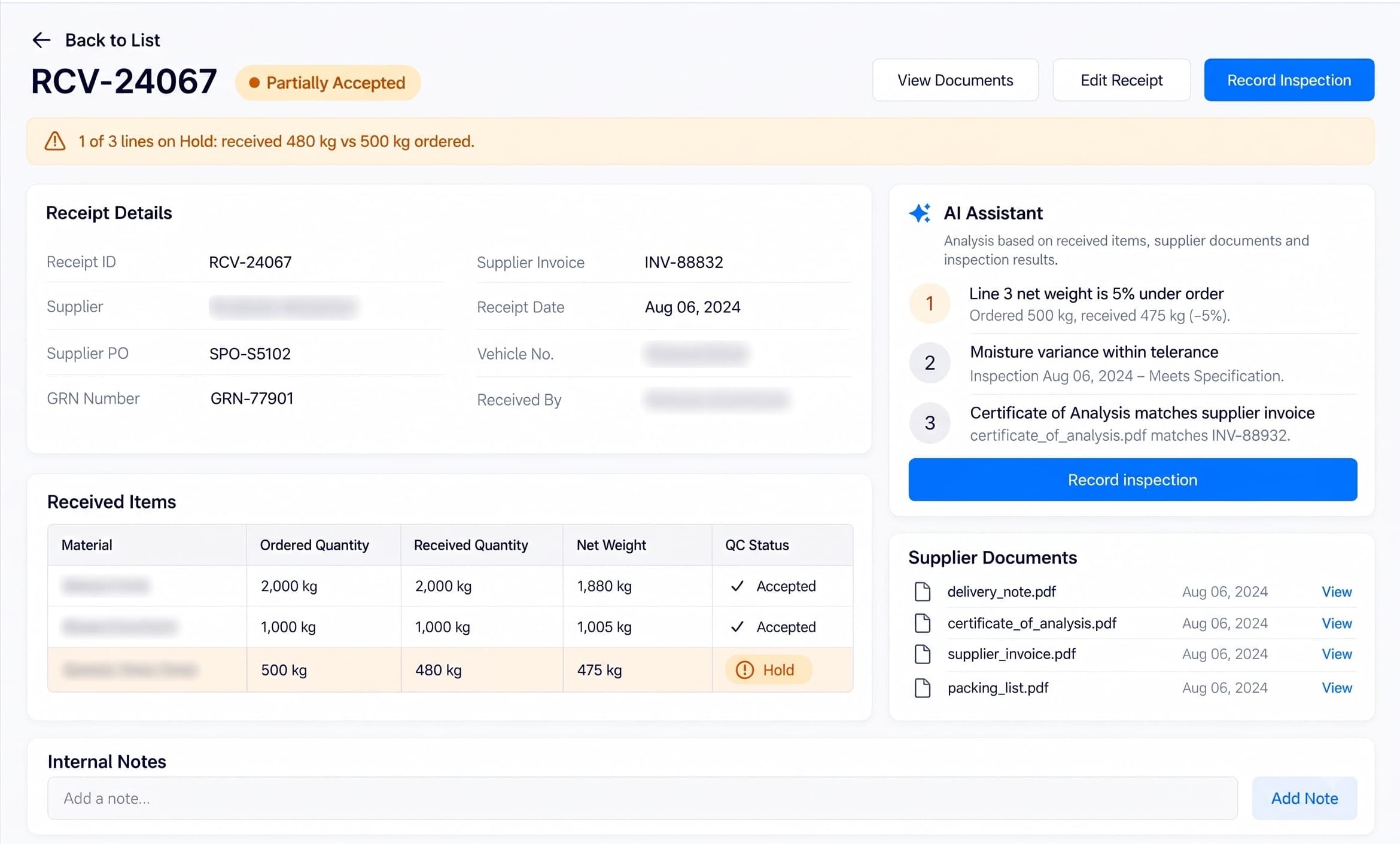
Reconcile purchase orders, weighbridge tickets, supplier CoAs and incoming inspections. Assign each receipt a lot identity and an authorized accept, hold or reject decision.
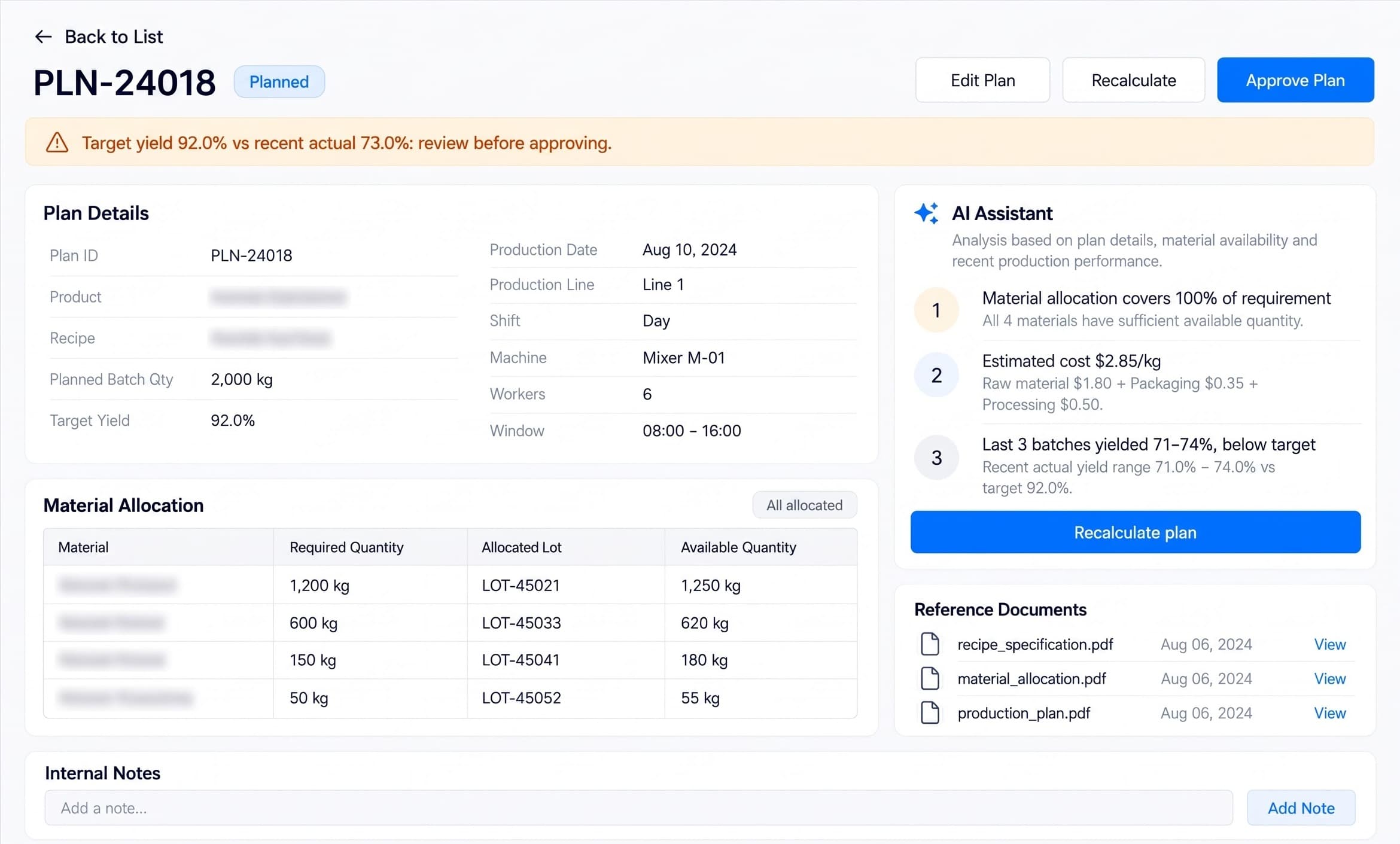
Plan batches using approved recipe revisions, accepted material lots, line availability and sanitation readiness. Review cost estimates and shortages before authorizing work orders.
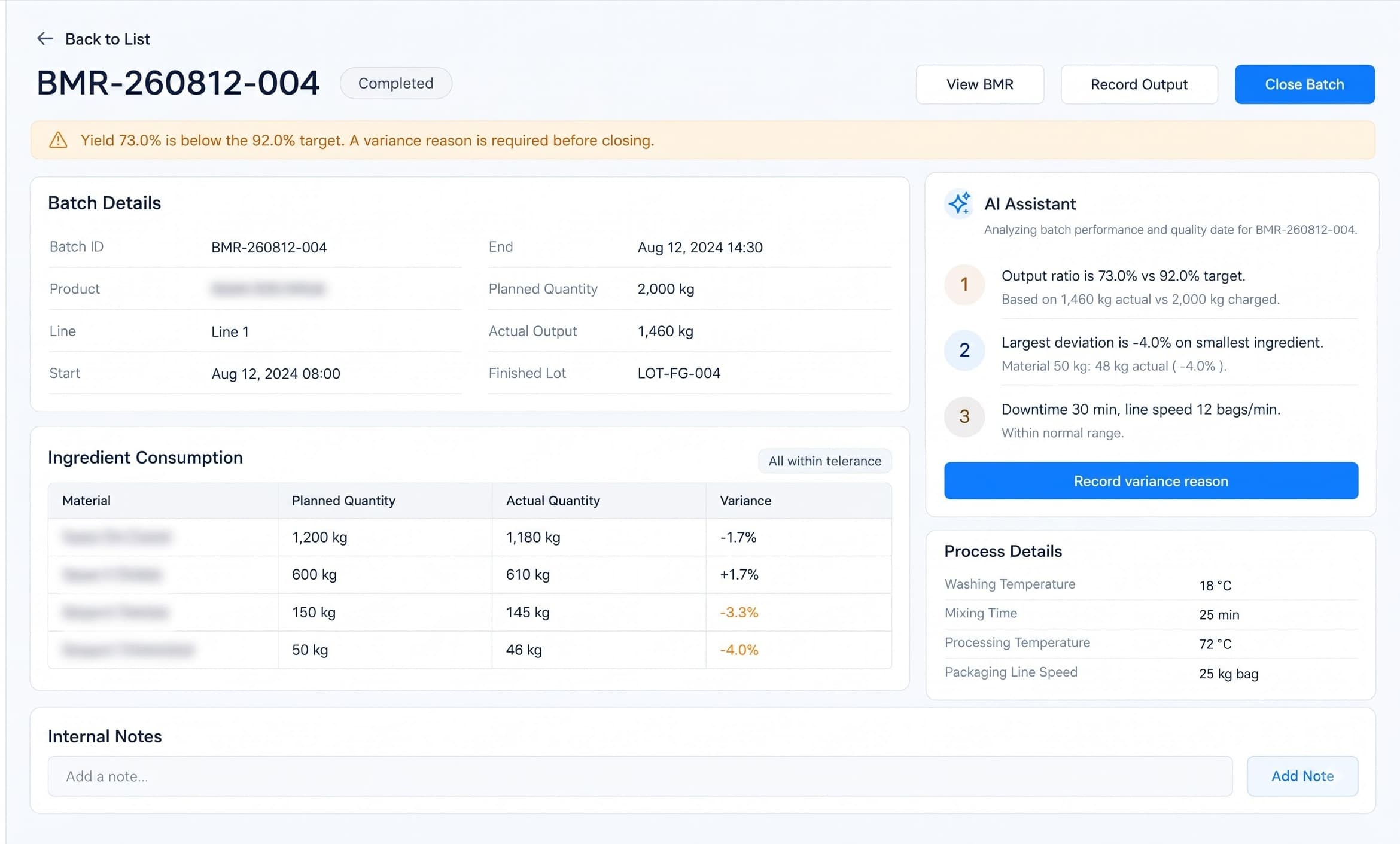
Capture material charging, process checkpoints, packaging use, downtime and finished output. Preserve input-to-output lot genealogy and reconcile actual yield.
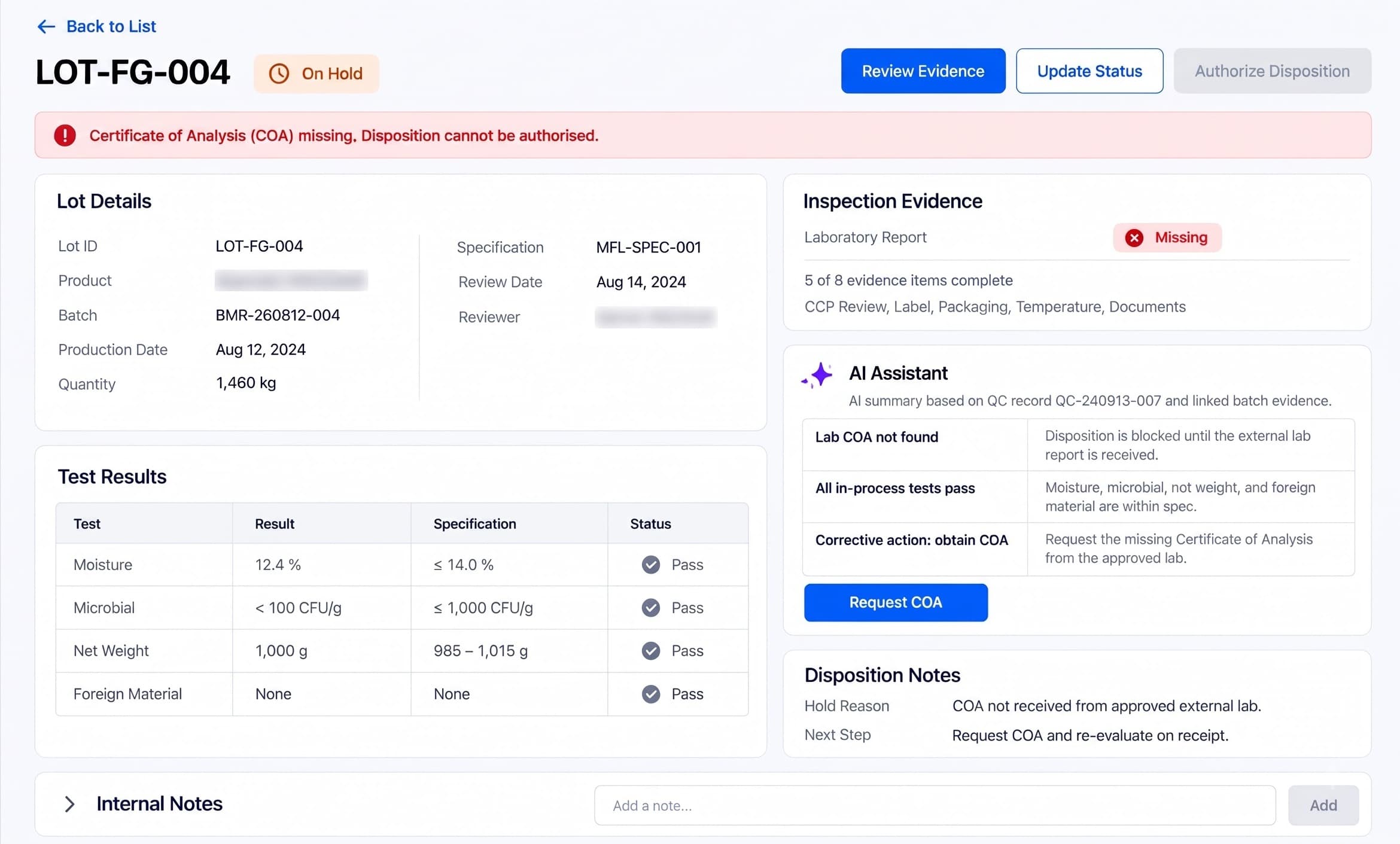
Review inspection results, laboratory reports, CCP records and deviations together. Hold, release or reject each lot through authorized QA review with an audit trail.
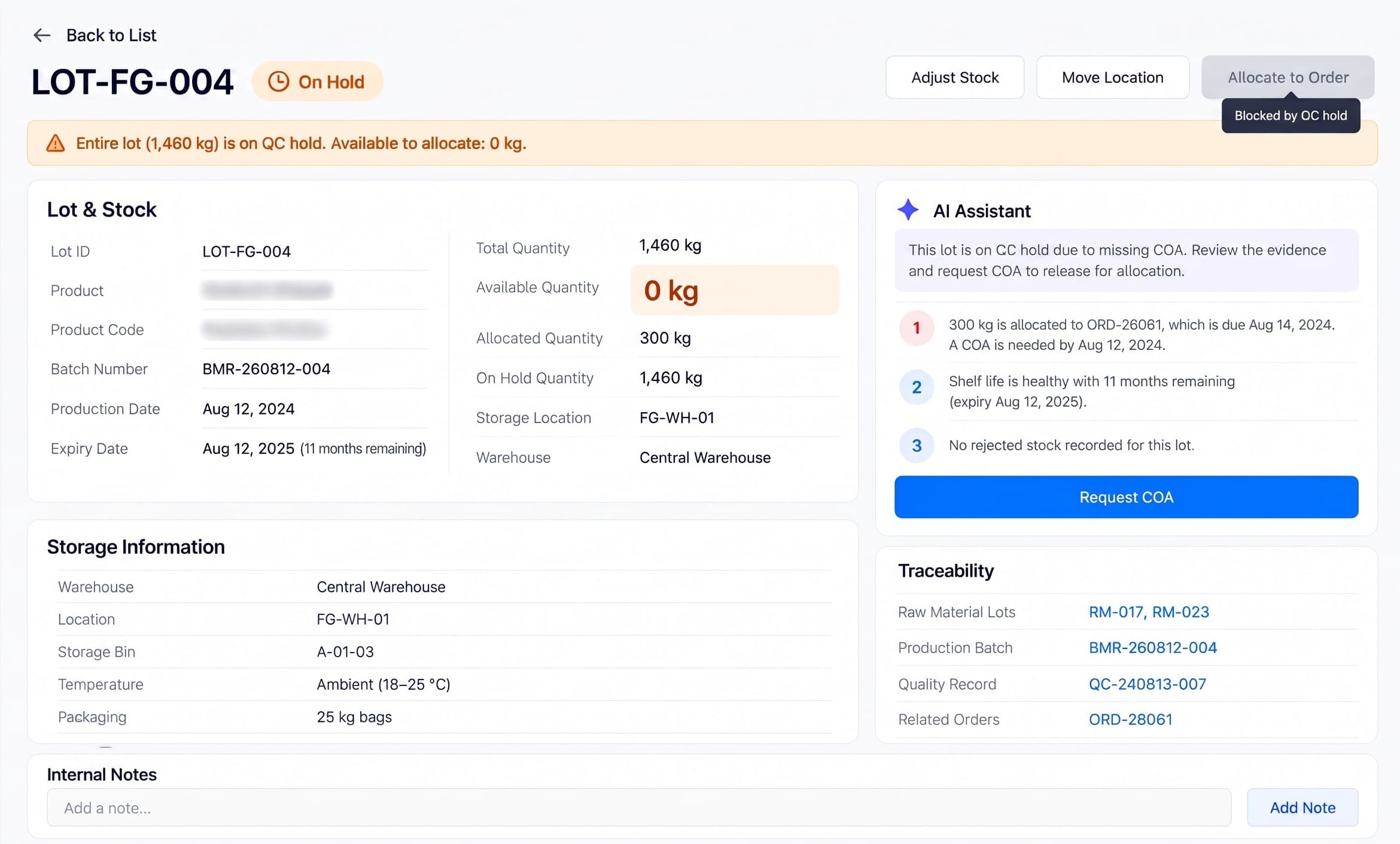
Track raw and finished lots by location, expiry and quality status. Apply FEFO and customer shelf-life requirements, reconcile stock and trace lots backward and forward.
Allocate eligible released lots, verify shipping documents and reconcile delivered quantities. Link shipment records to invoices, approved credits and payment settlement.
AI orchestration
Don't settle for the AI your software chose.
Use a platform designed to harness the best intelligence available for the work in front of you.
Most farm and food software bolts one vendor's model onto its screens. Zynqorev AI puts an orchestration layer between your workflow and the models, so a supplier certificate, a production plan and a supplier email can each go to the model that handles it best.
“You work within its limits.”
Supplier CoA extraction
Document model
Replenishment plan
Reasoning model
Best fit
Supplier inbox triage
Fast language model
Frontier & specialist models → best model for the task
Evidence-backed suggestions · human approvalModel names belong to their providers; shown as models the orchestration layer can route to — no partnership implied.
Routed to today for everyday planning, writing and analysis.
Can be switched on per workflow when a task suits them.
Open-weight models that fit private, self-hosted deployments.
New frontier and domain models (e.g. document models for supplier records) are evaluated as they are released, then added.
Note: Model and provider names are illustrative of integration patterns; trademarks belong to their respective owners. Routing is configured per tenant and data boundary. Supported and evaluated ecosystem models include OpenAI, Anthropic / Claude, Google / Gemini, Cohere, Mistral, Meta / Llama, xAI, and DeepSeek.
How it works
Zynqorev AI follows the material lifecycle: verify demand and receipts, plan and run production, review quality, control lot inventory, then dispatch and settle. Each handoff carries its records and approval requirements.
Swipe to explore workflow steps
Review customer commitments and receive supplier lots with quantity and incoming quality checks.
Select recipes, allocate accepted lots and review line readiness before approving a work order.
Capture actual consumption, process checks, output and yield with input-to-output lot links.
Review laboratory evidence and deviations. Authorized QA records hold, release or rejection.
Track stock by location, expiry and disposition; allocate eligible lots using FEFO requirements.
Dispatch eligible released lots, reconcile delivery evidence and link invoices to settlement.
Industry AI agents
Not chatbots. Production agents built around one agri-food workflow — your stock, your shelf-life rules, your suppliers — connected to the tools you already run and monitored like any other system.
01Workflow
Perishable-stock planning
02AI agents
Watch stock, shelf life & orders
03Connected tools
ERP, cold-chain sensors, supplier inbox
04Execution
Drafts recommendations for approval
05Outcome
Less spoilage, on-time orders
Tools & integrations
Zynqorev AI brings ERP, supplier, commerce and messaging records into the material lifecycle. Connections are scoped during onboarding using available APIs, webhooks or controlled imports.
tools available for integration scoping
workflow groups, from ERP to automation
connected operational modules
Note: Tool names and marks belong to their respective owners. No endorsement or partnership implied. Integration availability depends on your existing systems, licences, API access, security configuration and implementation scope.
Feeds: Receiving · Planning · Dispatch
Map purchase orders, material costs, inventory movements and invoices to your existing financial records. Sync direction and fields are agreed during onboarding.
Feeds: Receiving · Production Planning
Bring supplier harvest and field references into receiving where data access is available, keeping source identity linked to raw-material lots.
Feeds: Order Intake · Demand Forecasting
Import customer orders and account references for line verification, delivery commitments and production planning.
Feeds: Orders · Quality Control · Dispatch
Order emails and supplier attachments support document intake. Route quality holds and dispatch exceptions to the responsible team for review.
Feeds: Dashboard · Production · Inventory
Forecasts, yields and line metrics can be exported to your warehouse and BI so planning reviews run on the same numbers.
Feeds: Any module
Scope webhooks and automation recipes for record handoffs and exception notifications. Quality release remains an authorized QA decision.
Feeds: Receiving · Planning · Dispatch
Map purchase orders, material costs, inventory movements and invoices to your existing financial records. Sync direction and fields are agreed during onboarding.
Feeds: Order Intake · Demand Forecasting
Import customer orders and account references for line verification, delivery commitments and production planning.
Feeds: Dashboard · Production · Inventory
Forecasts, yields and line metrics can be exported to your warehouse and BI so planning reviews run on the same numbers.
Feeds: Receiving · Production Planning
Bring supplier harvest and field references into receiving where data access is available, keeping source identity linked to raw-material lots.
Feeds: Orders · Quality Control · Dispatch
Order emails and supplier attachments support document intake. Route quality holds and dispatch exceptions to the responsible team for review.
Feeds: Any module
Scope webhooks and automation recipes for record handoffs and exception notifications. Quality release remains an authorized QA decision.
Compliance
Zynqorev AI helps organize the records your team already works with: lot history, monitoring checks, corrective actions and audit evidence. These are focused record-keeping workflows, not complete compliance or certification services.
Swipe to explore standards
Link supplier receipts, production batches and dispatch records. Keep lot identities and supporting documents together for traceability reviews; complete regulatory data requirements need separate assessment.
Organize monitoring logs, supplier approvals, inspection findings and corrective‑action evidence for your food‑safety team. Your team defines, validates and operates the applicable controls.
Record critical control point checks against limits approved by your team. Flag missing checks or recorded deviations and retain corrective‑action notes for review; hazard analysis and plan validation remain with qualified personnel.
Gather supplier documents, inspection results and corrective‑action records into review packages. This supports audit preparation; it does not provide certification or a complete certification‑scheme implementation.
Note: These are standards the platform is built to support inside your workflows — obligations that fall on you as the licensee. They are not certifications held by us, and support in the product is not a substitute for your own counsel or compliance officer.
ADD-ONS
Generic third-party equipment can support the records your team already uses. Select devices around the required data format and workflow; device compatibility and any connector work are confirmed during implementation.
Swipe to explore hardware add-ons
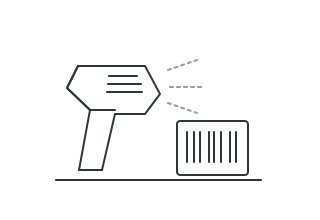
Receiving · Inventory · Dispatch
Scan lot and pallet labels at receipt, stock movement and shipment verification.
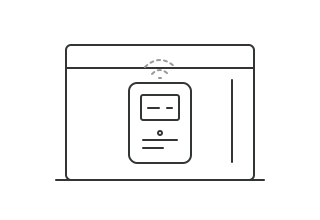
Inventory · Quality Control
Attach time-stamped cold-room readings to the storage and quality evidence for affected lots.
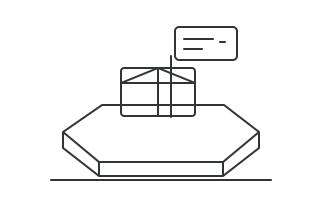
Receiving · Production
Capture net receiving weight and batch input or output weight for quantity reconciliation.
Receiving · Quality Control
Digitize supplier CoAs, delivery notes and laboratory reports while preserving their source files.
Illustrations show generic equipment categories. Actual models and compatibility are confirmed for your implementation.
Note: Hardware, installation, and integration are not included in the standard subscription. Additional charges apply based on the hardware selected, integration modules required, and implementation scope.
Pricing
Zynqorev AI is priced as a single subscription for the whole agri-food command layer, with no per-module add-ons and no seat maths to decode.
Starting at
$200/mo
Onboarding
A one-time setup that gets your agri-food team live before the first monthly cycle: we load your SKU and lot data, backfill sales history, connect your ERP and sensors, and tune each module to your products and sites. Every fee below is a starting point. We scope the final onboarding once we understand your environment, security needs, integrations, data volume, compliance requirements and deployment model.
Swipe to explore onboarding plans
One site, core data, live fast
from
$1,000+one-time
Starting price. Final scope is set to your requirements.
Includes:
Your ERP, recipes and sensors connected
from
$2,500+one-time
Starting price. Final scope is set to your requirements.
Everything in Essential, plus:
Multi-site, private and audited
from
$5,000+one-time
Starting price. Final scope is set to your requirements.
Everything in Plus, plus:
Deployment
The subscription is the same either way. Only the one-time onboarding may differ with your requirements.
Runs in Nestack's managed cloud. We handle hosting, scaling, updates and backups, so forecasts and alerts are flowing without any infrastructure to stand up. The fastest way to start.
The same platform deployed inside your own cloud / VPC or on-prem. Forecasts, recipes and supplier records stay in your environment, and the monthly subscription stays exactly the same.
FAQs
What Zynqorev AI needs from you, how it connects to the systems you already run, and how pricing and onboarding work.
Track stock by lot, expiry date and quality status. First-expiry-first-out (FEFO) allocation and shelf-life checks help teams use eligible stock sooner, while demand and material planning highlight potential surplus. Results depend on the accuracy of your records and the actions your team takes.
Zynqorev AI is designed to complement your existing systems. During onboarding, we assess the APIs, exports and document formats available, then scope the connections and field mappings your workflows need. Availability depends on your licences, access permissions and implementation scope.
Link supplier lots to production batches, inventory movements and shipments. Quality Control brings inspection results, laboratory documents and corrective-action records together for review. Held or rejected stock stays restricted; authorized QA personnel decide whether a lot can be released. The platform supports your food-safety work rather than certifying it.
The platform has a monthly subscription starting at the price shown in the Pricing section, plus a one-time onboarding fee based on your setup. Your quote confirms the modules, deployment and implementation scope. AI usage credits and optional hardware are charged separately.
Book a live demo to explore the eight modules with our team and discuss your own operating process. If you need a pilot or trial environment, ask during the demo; its availability, scope and terms are agreed separately.
Onboarding covers agreed data imports, item and lot mapping, system connections, module configuration, QA approval roles and team training. We define the sites, responsibilities, deliverables and rollout schedule with you before implementation.
Yes. AI API usage is charged separately, and clients recharge their AI credit balance based on usage. Hardware, installation and integration are outside the standard subscription. Additional connectors, deployment work or services may also require a separate quote based on the agreed implementation scope.
Managed cloud and private deployment options can be discussed during onboarding. For your own cloud, VPC or on-premises environment, we assess infrastructure, security and data-boundary requirements first. Your proposal confirms availability, responsibilities and any additional implementation costs.